// Singularity documentation
Reviewing agent runs
Review an agent’s result before it reaches your branch: inspect every diff, annotate code, edit a file when needed, then merge everything or only the approved files.
Why review a run
With Git worktrees enabled, the agent works in an isolated checkout and branch. Your current files stay untouched, and nothing is merged until you approve it.
The only exception is automatic merge: when enabled, Singularity integrates the result as soon as the run completes successfully. Turn it off under Settings → Git → Worktrees to require human review.
Open Review
Open the Review tab. Its landing view lists completed runs waiting for approval, with the agent, source and base branches, project and file counts, additions and deletions, and relative time.
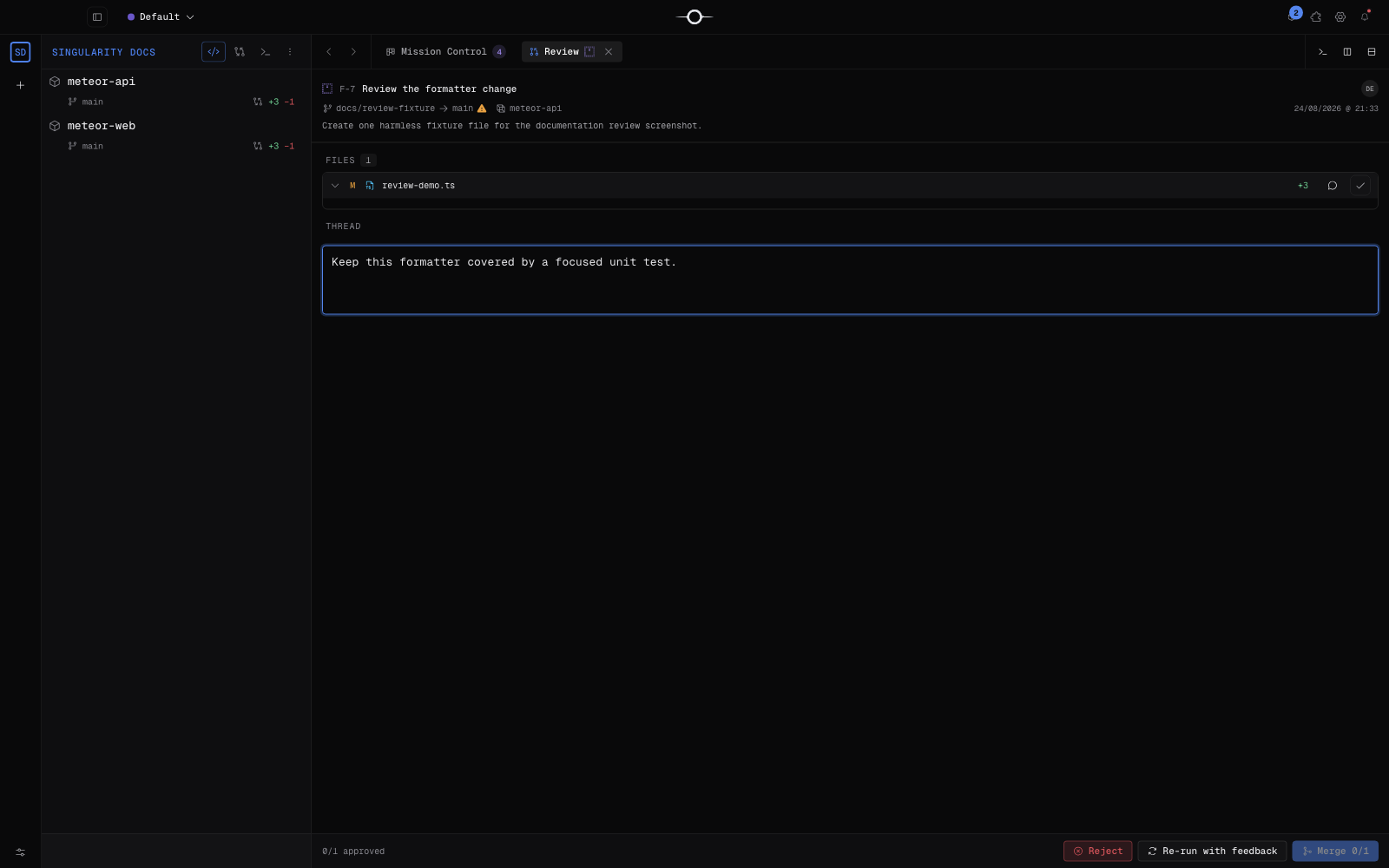
Select a run to open its review:<id> tab. The diff fills the center while the file list, discussion, and decisions remain together in the review panel.
Read and approve the diff
The Files section shows every changed file and its statistics. Select one to display its full contents: added lines are tinted green and deletions red. Unchanged blocks can collapse to keep the change readable.
Enable Approve this file when its change is ready. The panel footer tracks progress as x/y approved. A file marked “Approved — included in merge” will be part of the final decision.
Annotate a file or selection
Use File note for a general comment—architecture, a missing test, or a convention to follow. For a precise correction, select code, open the context menu, and choose Add note to selection. With no selection, Singularity asks you to select code first.
Notes show their scope (FILE or the affected lines), can be removed, and become feedback sent to the agent when you choose Rerun with feedback. The Discussion field holds broader comments.
Edit directly
The displayed file is editable when Singularity recorded the worktree’s filesystem path. Edit its contents, then press Cmd/Ctrl + S or use Save. The Saving…, Saved, and failure notifications confirm the result.
Without a recorded worktree path, the editor shows Read only — no worktree path recorded. You can still read and copy the contents, but must rerun in a correctly recorded worktree to edit the file from Review.
Decide
- Approve and merge integrates every file when all are approved.
- Merge x/y performs a partial merge with approved files only; it stays disabled until at least one file is approved.
- Reject declines the review and marks the run as rejected.
- Rerun with feedback sends your message and annotations back to the agent; it requires non-empty feedback.
A diff loading, save, or copy failure is reported instead of silently accepting the action: fix the cause, then retry.
When there is nothing to review
A missing diff always maps to an explicit state:
- The agent is still working. Cause: the ticket is still running. Remedy: follow progress in the terminal; it appears after the run completion call.
- Already merged. Cause: automatic merge was enabled. Remedy: inspect commits in Graph; disable automatic merge for future missions.
- Direct run — no worktree. Cause: “Use Git worktrees” was disabled, so the agent wrote into your working tree. Remedy: enable worktrees and disable automatic merge under Settings → Git → Worktrees for future runs.
- The agent is waiting for an answer. Cause: a question blocks the mission. Remedy: answer from the Kanban card; Review returns after the agent resumes and finishes.
- The ticket cannot be reviewed. Cause: its status or metadata does not meet the review conditions. Remedy: check the displayed status, then rerun to completion in an unmerged worktree.
When no run matches, the tab simply displays “No agent work to review”.
Frequently asked questions
Why does my ticket not appear in Review?
It must be pending, come from an unmerged worktree, and not be waiting for your answer. The “When there is nothing to review” section covers every case and remedy.
Can I merge only part of the changes?
Yes. Approve the files you want to keep, then choose “Merge x/y”. Unapproved files are excluded from that merge.
Does the agent receive my annotations?
Yes when you rerun with feedback: the discussion, file-level notes, and notes attached to a code selection become context for the correction.