// Singularity documentation
Resolve a Git conflict: by hand or with an AI ticket
When Git refuses a merge, Singularity writes nothing: it shows the conflicting files and lets you choose between the three-pane editor and a resolution ticket handed to an agent in a dedicated worktree.
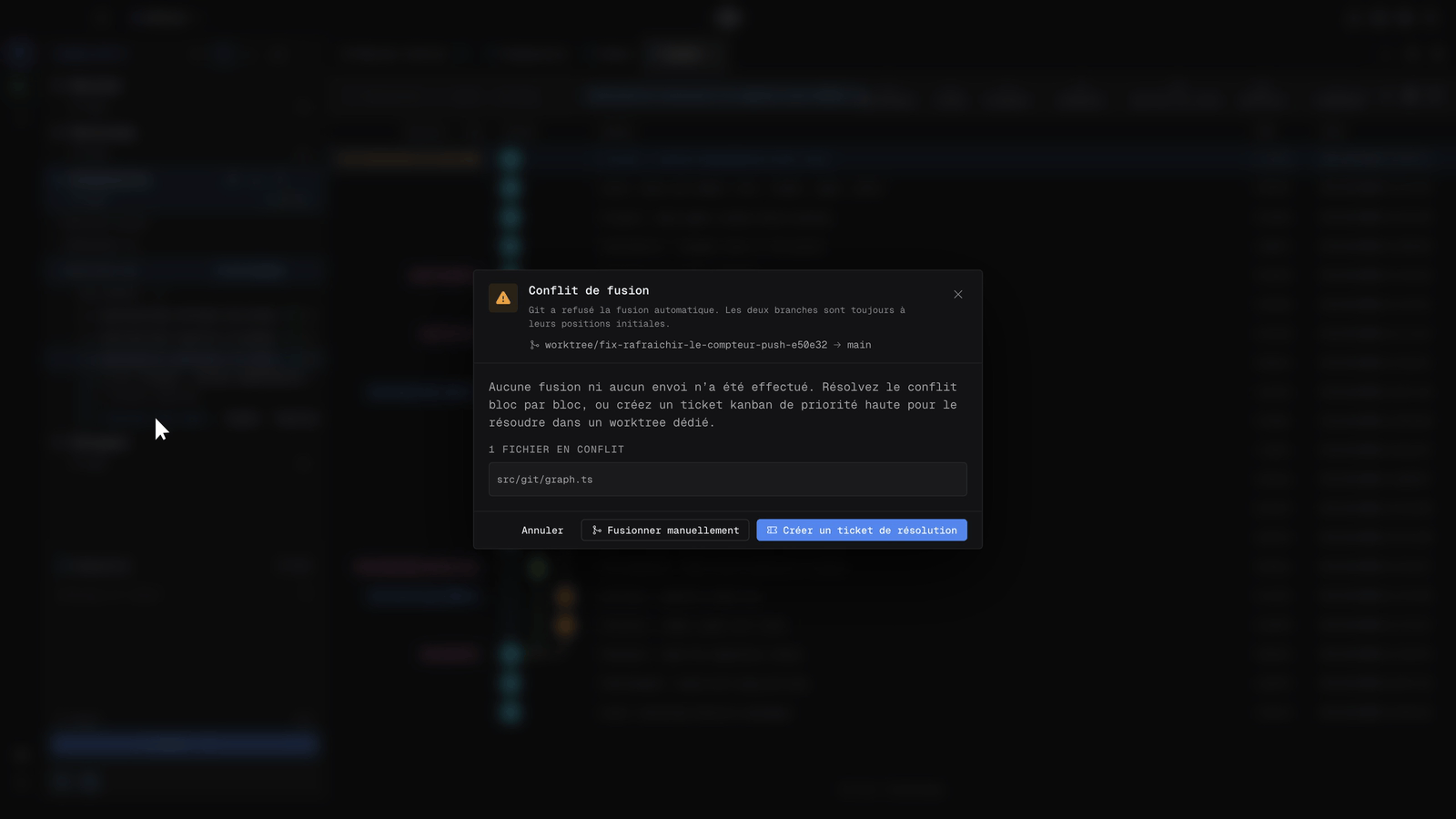
The “Merge conflict” dialog
A conflict can occur when merging a branch from the graph menu, when integrating a ticket’s worktree with Merge into main…, or during a pull or rebase. Singularity then shows the Merge conflict dialog: the branches involved, the list of conflicting files, and confirmation that no merge and no push happened.
Three choices: Cancel, Merge manually or Create a resolution ticket. A merge or rebase already in progress can also be aborted to return to the previous state.
Resolve by hand: the three-pane editor
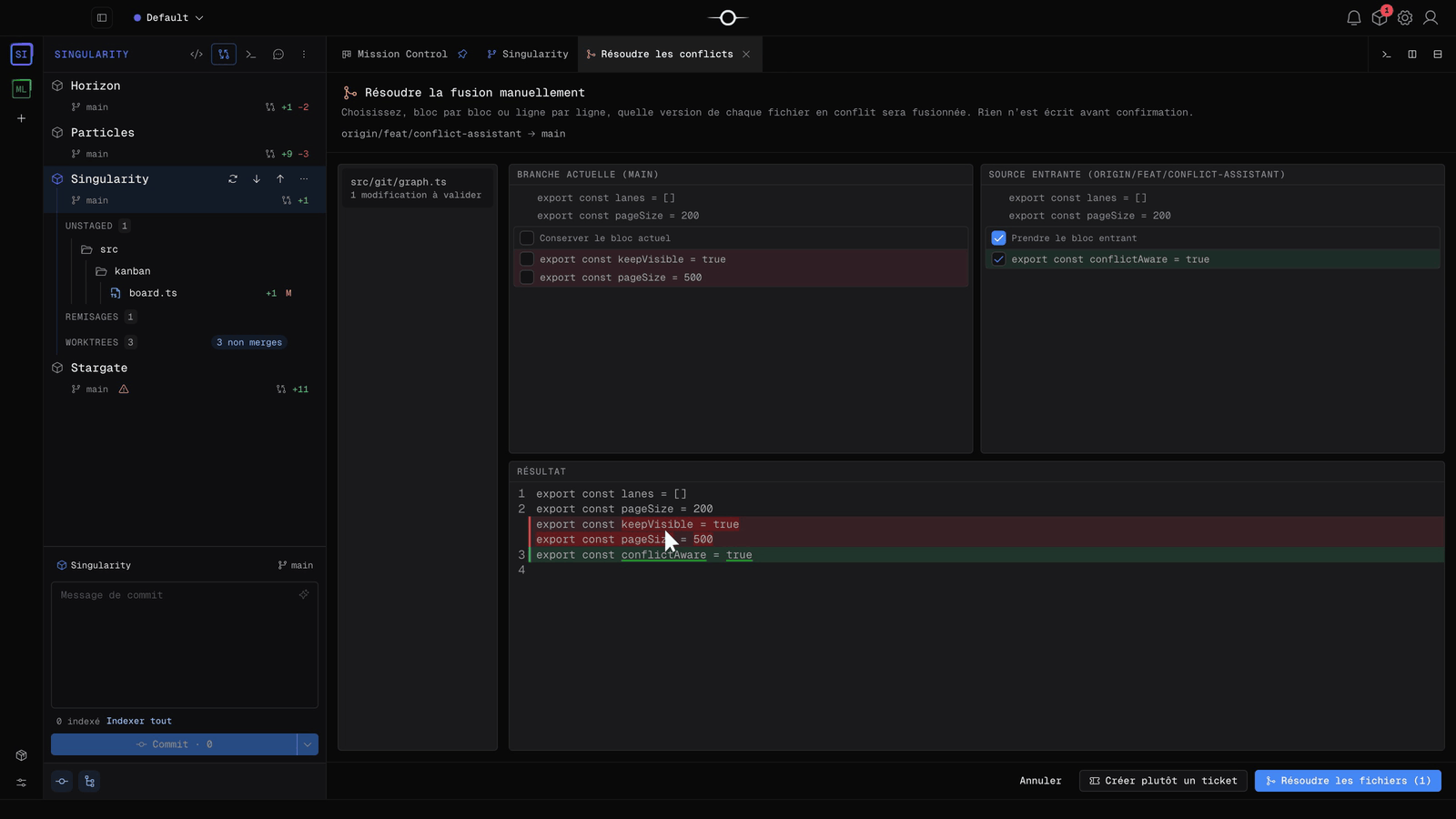
Merge manually opens the Resolve conflicts tab. For each file, the Current branch pane and the Incoming source pane show both versions; tick Keep current block, Take incoming block, or both, block by block or line by line. The Result pane shows the final file live.
Nothing is written before you confirm: Resolve files applies your choices and completes the merge, Create a ticket instead switches to resolution by an agent, Cancel aborts.
Hand the conflict to an agent
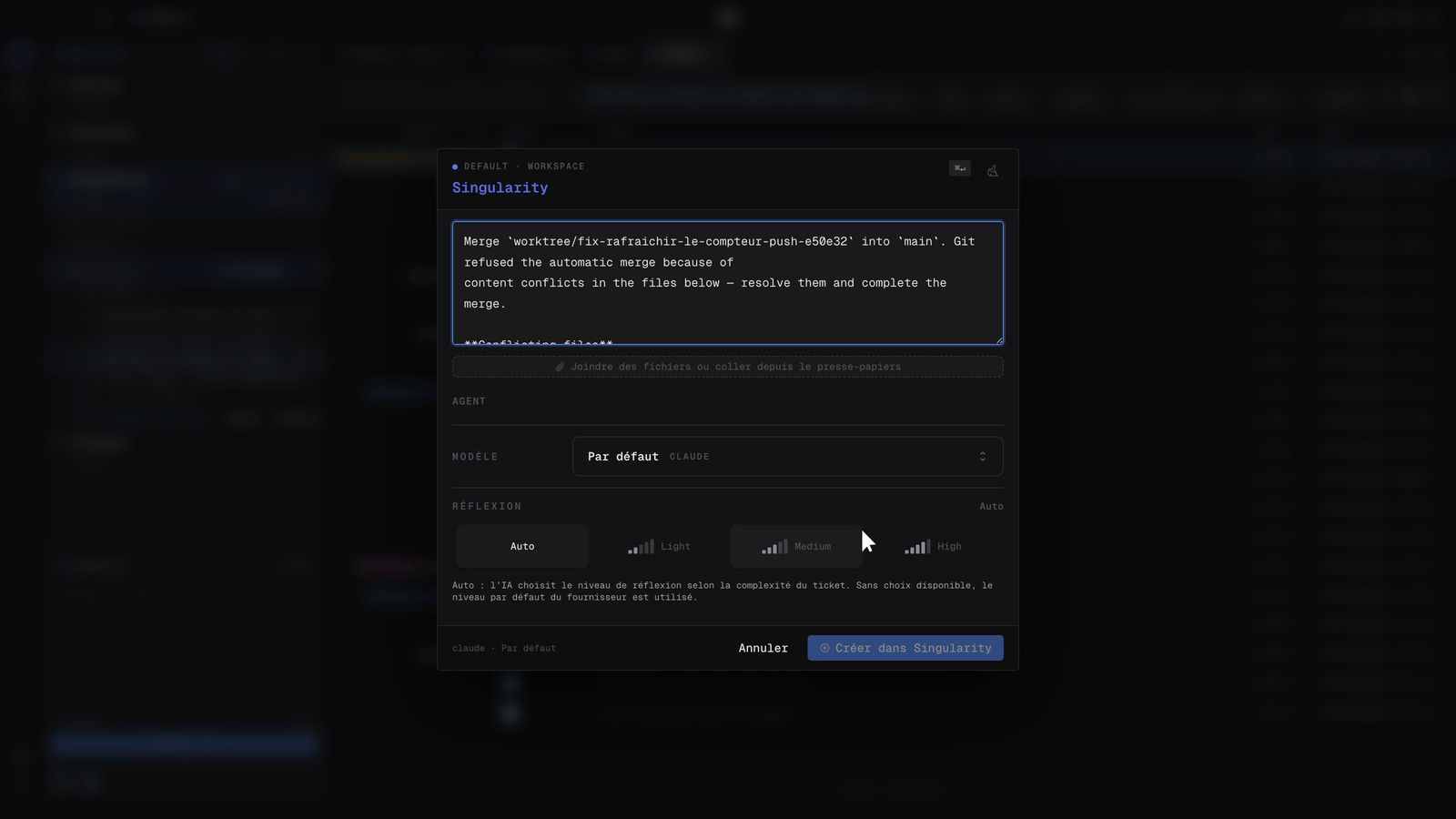
Create a resolution ticket opens the creation dialog, prefilled: the branch to merge, the target branch, why Git refused, and the list of conflicting files. Choose the agent, model and reasoning level, then create the ticket. It is created with high priority.
The agent works in a dedicated worktree: it resolves the conflict, runs the project checks and completes the merge. You review the result in review before integration, like any other ticket.
Track the resolution on the board
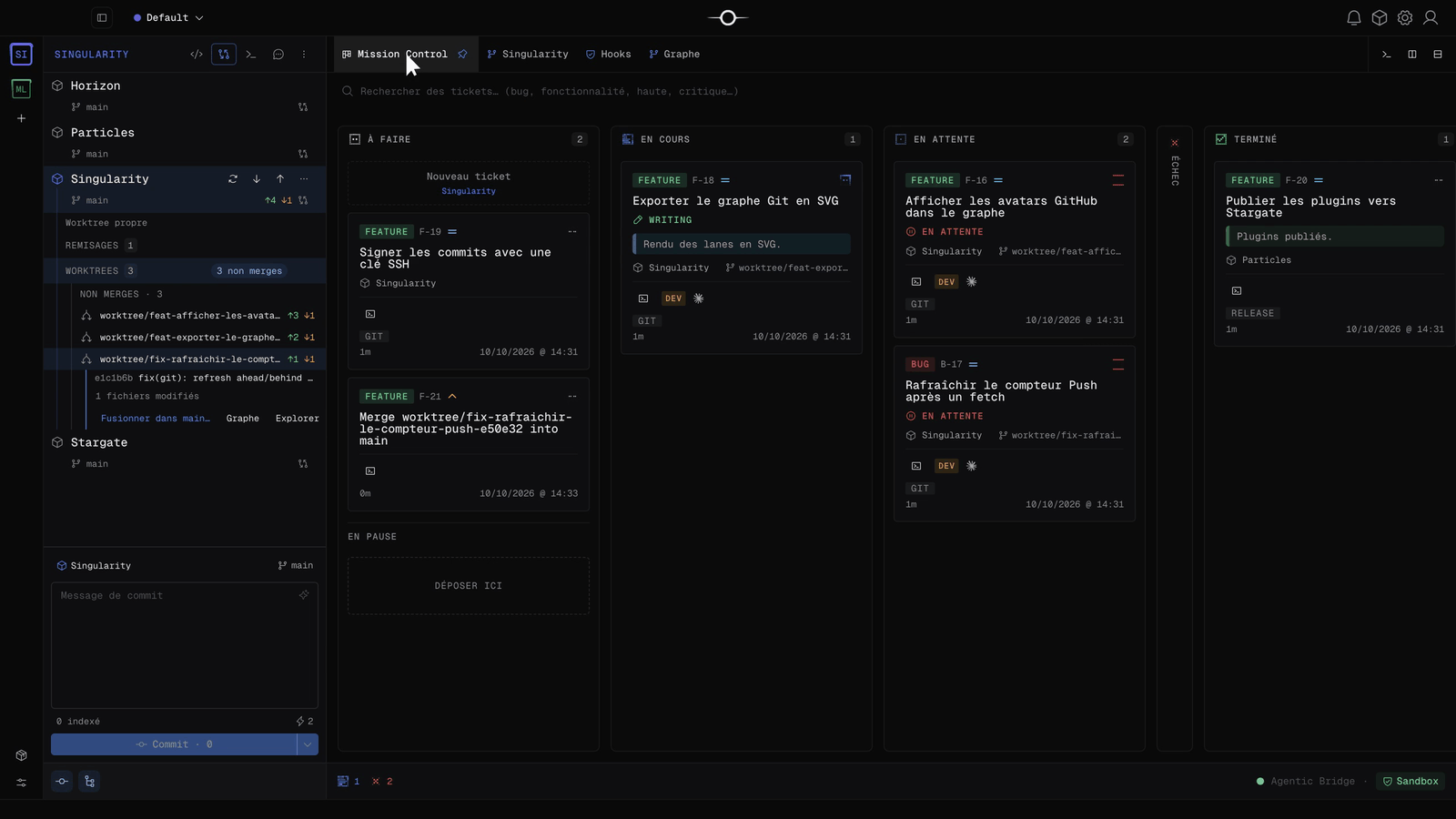
The resolution ticket joins Todo in Mission Control, with its high priority. In the navigator’s Git view, the project’s Worktrees section lists the unmerged worktrees; expand one to find Merge into main…, Graph and Explore. See explore a ticket’s worktree.
Frequently asked questions
Does a conflicting merge change my branches?
No. The dialog states that no merge and no push happened: both branches stay at their initial position until you confirm a resolution.
What does the agent receive in a resolution ticket?
The ticket is prefilled with the source branch, the target branch and the list of conflicting files. It is created with high priority and the agent resolves the conflict in a dedicated worktree, which you review before integration.