// Singularity documentation
Keyboard shortcuts
This reference lists only shortcuts declared by Singularity. They are grouped by surface so global commands remain distinct from commands that work only inside a specific editor, terminal, or form.
How to read this page
Cmd/Ctrl means the primary modifier exactly as Singularity displays it: Cmd on macOS and Ctrl on Windows and Linux. Keys separated by + are held together. A row that says only Cmd is macOS-specific.
Enter, Escape, arrow keys, and function keys retain their usual meaning. A surface shortcut applies only while that surface or field has focus.
Application & navigation
| Shortcut | Action |
|---|---|
| Cmd/Ctrl + K | Open Aperture. |
| Cmd/Ctrl + B | Show or hide the navigator. |
| Cmd/Ctrl + ` | Open the Terminal view. |
| Cmd/Ctrl + Shift + F | Open global search. |
| Cmd/Ctrl + , | Open Settings; from Settings, return to the previous view. |
Deck & tabs
| Shortcut | Action |
|---|---|
| — | No dedicated shortcut is declared for creating, moving through, pinning, or closing deck tabs. |
Editor
| Shortcut | Action |
|---|---|
| Cmd/Ctrl + S | Save the active file. |
| Cmd/Ctrl + F | Find in the file. |
| Cmd/Ctrl + H | Open replace. |
| Cmd/Ctrl + T | Search for a symbol. |
| Ctrl + G | Go to a line. |
| Cmd/Ctrl + D | Select the next occurrence. |
| F12 | Go to definition. |
| Cmd/Ctrl + F12 | Go to type definition. |
| Cmd/Ctrl + Shift + F12 | Go to implementation. |
| Shift + F12 | Find references. |
| F2 | Rename the symbol. |
| Shift + Option + F | Format the document (shortcut displayed on macOS). |
| F8 / Shift + F8 | Move to the next / previous diagnostic. |
Git
| Shortcut | Action |
|---|---|
| Cmd/Ctrl + Enter | Create the commit from the composer when the action is available. |
Terminal
| Shortcut | Action |
|---|---|
| Cmd/Ctrl + F | Show or hide search in the active terminal. |
| Shift + Enter | Insert a newline without submitting the input. |
| Ctrl + Shift + C | Copy the terminal selection. |
| Ctrl + Shift + V | Paste into the terminal. |
| Cmd + Backspace / Delete | On macOS, delete to the start / end of the line. |
| Cmd + ← / → | On macOS, move to the start / end of the line. |
Kanban
| Shortcut | Action |
|---|---|
| Cmd/Ctrl + Enter | Create the ticket from the creation form. |
Aperture reaches everything
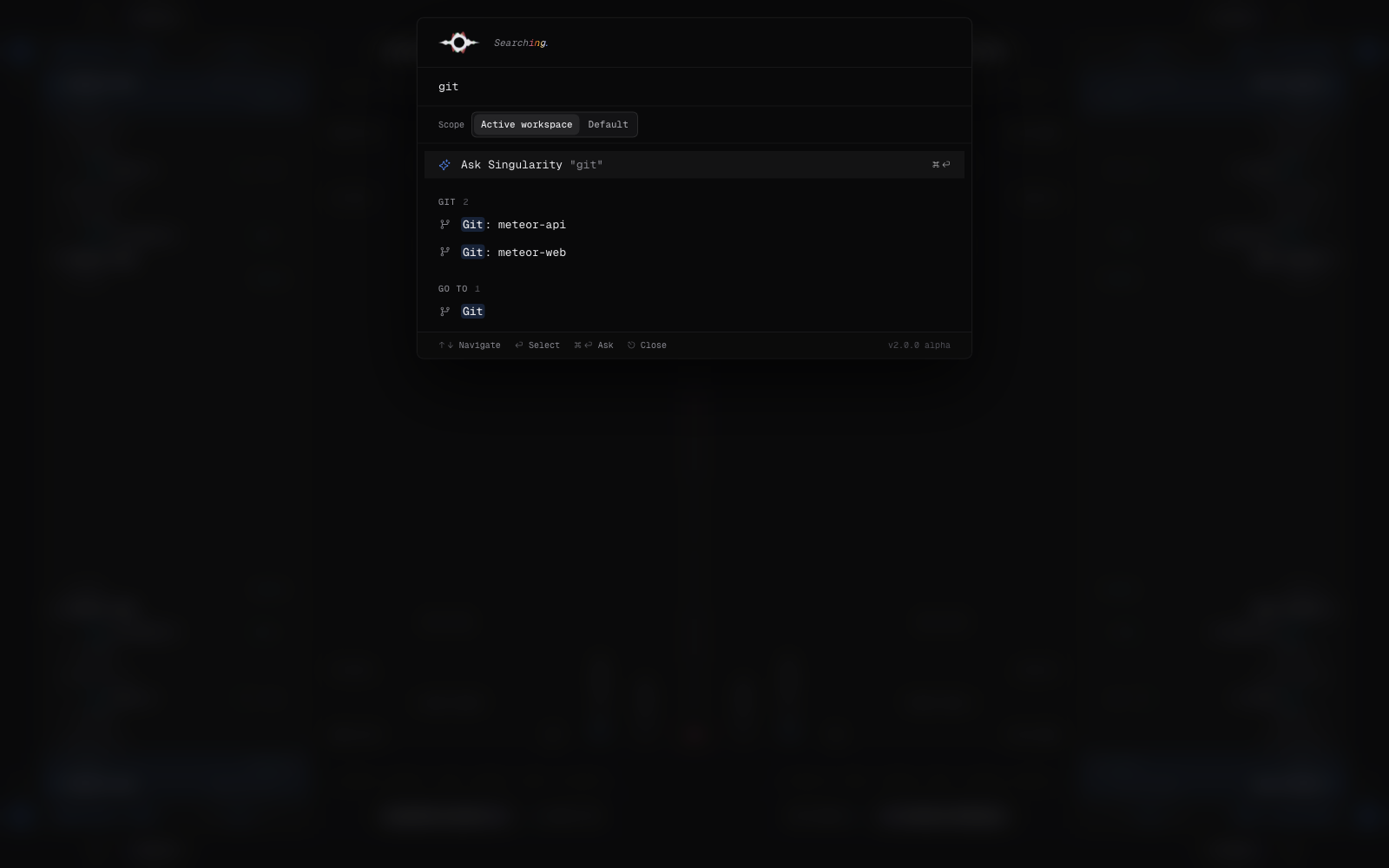
Cmd/Ctrl + K opens Aperture. The palette reaches views, files, tickets, projects, Git cockpits, workspaces, and namespaces, including destinations without a dedicated shortcut. Inside the palette, use ↑ and ↓, then Enter; Escape closes it. With a query, Cmd/Ctrl + Enter sends it to full search.
What cannot be customized
Singularity currently provides neither a shortcut editor nor a configuration file for remapping these keys. The combinations on this page are fixed. Shortcuts contributed by Particles plugins are outside this reference.