// Singularity documentation
The code editor
Open, edit and save project files without leaving Singularity. The editor is built on CodeMirror 6, and every file occupies one unique tab in the deck.
Open a file
Click a file in the navigator's Code view. Aperture and results that target a line can also open the file directly at the relevant location. From a Git comparison, the diff opens in a dedicated tab; its working-copy side, on the right, is editable.
A file maps to one file:<path> tab in the deck. Opening the same path again focuses the existing tab instead of duplicating it. Tabs and unsaved drafts are restored between sessions.
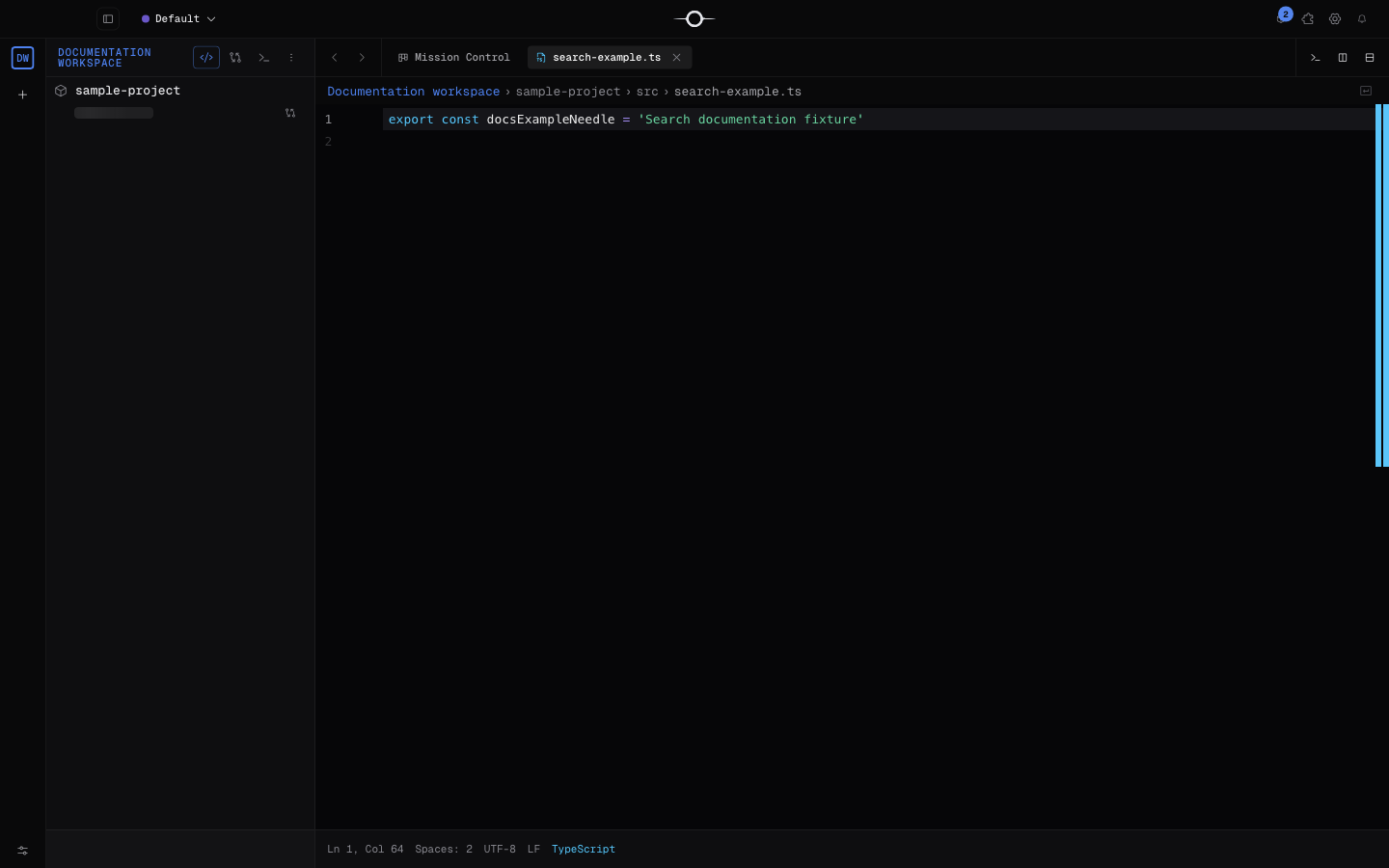
The editor
CodeMirror 6 provides extension-based syntax highlighting, line numbers, code folding, indentation guides, bracket matching and auto-closing, and word-occurrence highlighting. Supported languages notably include JavaScript and TypeScript, HTML, CSS, JSON, Python, Markdown, Go and Rust.
Multiple selections and multiple cursors are not available. Features that depend on a language server are covered separately in the LSP documentation.
Save
Press Cmd+S on macOS or Ctrl+S on Windows and Linux. Editing marks the tab as unsaved; the indicator clears after a successful write. The draft is also kept in the session while it differs from the on-disk content.
The navigator watcher refreshes the tree when the disk changes, and the editor detects an open file that was deleted when the window regains focus. It does not merge or automatically reload an open file changed by another program, however: saving writes the current buffer. Check the external change before overwriting the file.
Status bar and inspector
The bar above the content shows workspace › project › folders › file, followed by the current symbols when a language server provides them. The editor inspector complements it with the cursor's line and column, detected language, line count, size and the displayed encoding, currently UTF-8.
The encoding is informational: there is no selector to change it yet.
Find and replace in a file
Cmd/Ctrl+F opens search in the active file; Cmd/Ctrl+H opens replace mode directly. The bar supports case sensitivity, whole words and regular expressions, shows the match count and navigates to the previous or next result.
This command is limited to the active file. Use global search to search the whole project; multi-file replacement is not available.
Edit while reviewing
A file opened from the Review tab is editable while the run still has a recorded worktree path: your changes then apply to that isolated working copy. Without a usable worktree path, the file is shown read-only to avoid writing to an ambiguous location.
The approval, change-request and rejection flow is covered in Reviewing agent runs.
Known limitations
- No split editor, minimap, inline Git blame or clickable path breadcrumbs.
- No multiple cursors, Cmd-click multi-selection, sticky scroll or keyboard word-wrap toggle.
- No file-focused Cmd/Ctrl+P palette; use Aperture, the navigator or global search.
- Files larger than 5 MB are read in chunks and remain read-only.
- No encoding selector, multi-file replacement or conflict resolution for an external edit.