// Singularity documentation
What is Singularity?
Singularity is a desktop IDE that brings code, Git, terminals, and AI agents together in one native workspace.
What Singularity is
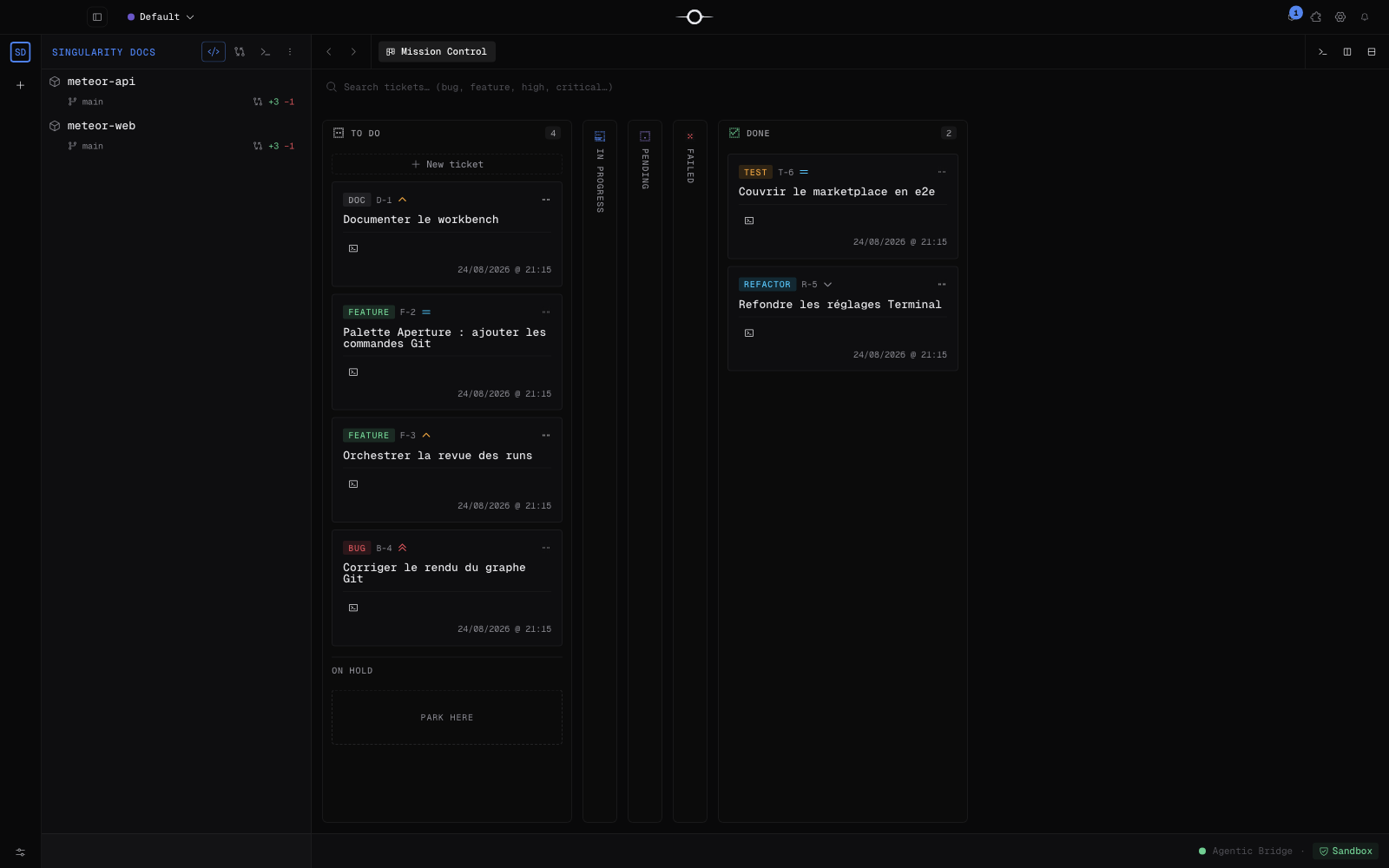
Singularity is an Electron-based desktop IDE. It brings terminals, workspaces, a code editor, Git, a Kanban board, and AI agent orchestration into one native application.
The promise is simple: you do not manage agents in a separate tab. They work inside the project, with its files and Git history, while you keep context, tracking, and review in view.
Who it is for
Singularity is for developers and small teams who delegate work to AI agents without giving up control of the outcome. Code, review, Git, and progress stay in one place, from the initial request through integration.
Core building blocks
- Workbench — the cockpit that composes every work surface.
- Workspaces — how your projects and repositories are organized.
- Editor — writing, navigating, and understanding code.
- Git — repository status, changes, and everyday operations.
- Terminal — shell sessions integrated with the project context.
- Kanban & orchestration — ticket tracking and agent-driven execution.
- Settings — application and AI provider configuration.
- Marketplace — installing and managing available modules.
How to read these docs
The sidebar order is the recommended reading order: begin with installation and first steps, learn the interface, then explore each tool in depth.
Every page is checked against a specific application version. The Reviewed against date (reviewed) and application version (appVersion) appear in the footer so you can judge how current the instructions are.
Frequently asked questions
Does Singularity replace my IDE?
Singularity can be your primary IDE through its editor, terminals, Git tools, and workspaces. You can also adopt it gradually alongside your current tools: it works directly with the same projects and repositories.
Which AI models are supported?
Singularity orchestrates the AI providers whose CLIs you configure in the application. Availability and capabilities therefore depend on the installed providers and their accounts, rather than on a model imposed by Singularity.
Are my files sent anywhere?
The application is native and its data lives in a local SQLite database. Singularity does not send your files to an intermediary service; only the AI provider CLIs you configure may communicate outside your machine, according to their own settings and policies.