// Singularity documentation
Settings
The Settings panel brings together preferences for the interface, development tools, and orchestration. This page covers every panel in the application.
Find a setting
Open Settings with the gear icon, then enter a word in Search settings. Search covers panel names, groups, labels, descriptions, and synonyms such as worktree, GitHub Issues, or cache.
A result opens its owning panel. Switches and number controls shown in some results can be changed without leaving search.
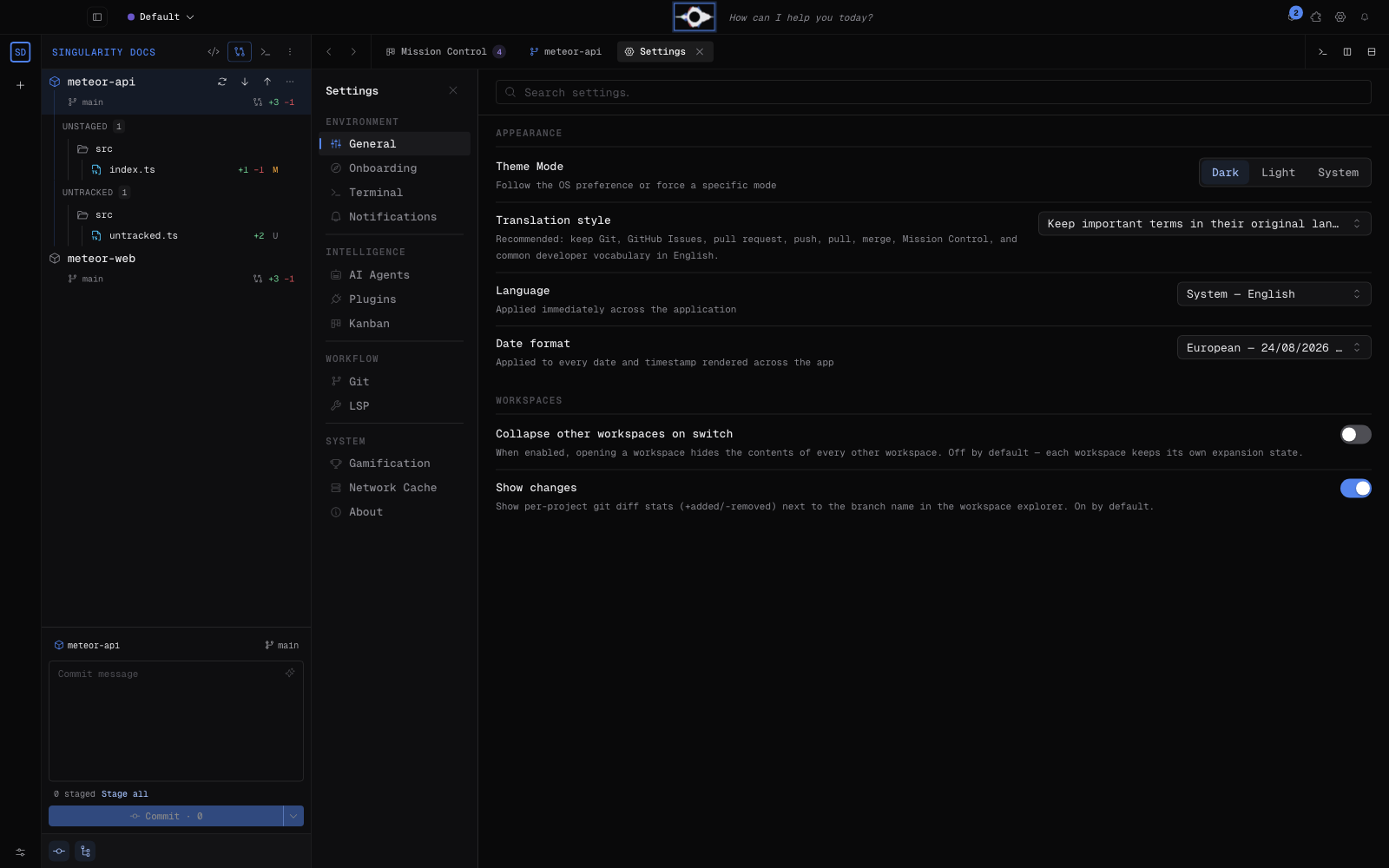
General
Appearance offers dark, light, or system themes. You can also choose the language (system, English, French, Spanish, or Portuguese), European or ISO date formatting, and translation mode.
The recommended mode keeps technical terminology in English—including Git, GitHub Issues, pull request, push, pull, and merge—while full mode translates the entire interface. Workspaces can collapse other workspaces when switching and show or hide their Git statistics.
AI Agents
Choose the default provider and model, interactive mode, automatic agent-memory maintenance tickets. The panel also groups models, permissions, and connection options for Cursor, Mistral, and Ollama.
For CLIs and credentials, see AI providers.
Git
Use Git worktrees isolates each agent run. Automatic merge integrates completed work when the workflow allows it. You can also select a Git identity profile or a custom author name and email. Behavior options control automatic acceptance and integration-queue priority.
Kanban
Configure ticket-detail layout, maximum parallel agents, and retries before failure. Automation can accept splits, accept agent-proposed tickets, and prioritize bugs. A separate switch plays a sound when ticket status changes.
Terminal
Enable automatic cleanup of AI terminals linked to completed tickets, then set their inactivity delay from 1 to 1,440 minutes. Cleanup is enabled by default after five minutes.
LSP
Enable or disable language servers and manage their components. Settings include semantic tokens and request timeout. See Language servers (LSP).
Notifications
Control desktop alerts, sounds, and system badges. Ticket-status sounds remain under Kanban. See Notifications & bug reports.
Network Cache
Singularity caches HTTP responses for pipelines (runs and logs), GitHub Issues, and pull requests. The panel shows size, entry count, per-source usage, and up to 50 recent entries with URL, age, size, and hit count.
Clear cache removes everything; each source can also be cleared separately. Refresh reloads statistics.
Onboarding
Replay the first-launch guided tour to revisit the introduction and setup steps. The panel also reports whether the journey has already been completed.
Plugins
This entry opens installed-extension management and the catalog. This page does not describe their behavior: see Marketplace & modules to find, install, and manage modules.
Gamification (when enabled)
A build compiled with the Gamification feature displays this additional system panel. It is absent when the feature is not enabled; its presence is not controlled by a user setting.
About
Check the installed version, distribution channel, platform, and architecture. Links lead to GitHub, documentation, issue reporting, the changelog, and licenses.