// Singularity documentation
Graph, branches & tags
The Git graph makes a repository’s history readable and actionable. It connects commits, branches, worktrees, remote refs, tags, and stashes, while the Branches and Tags tabs provide focused views for managing those references.
The Graph tab
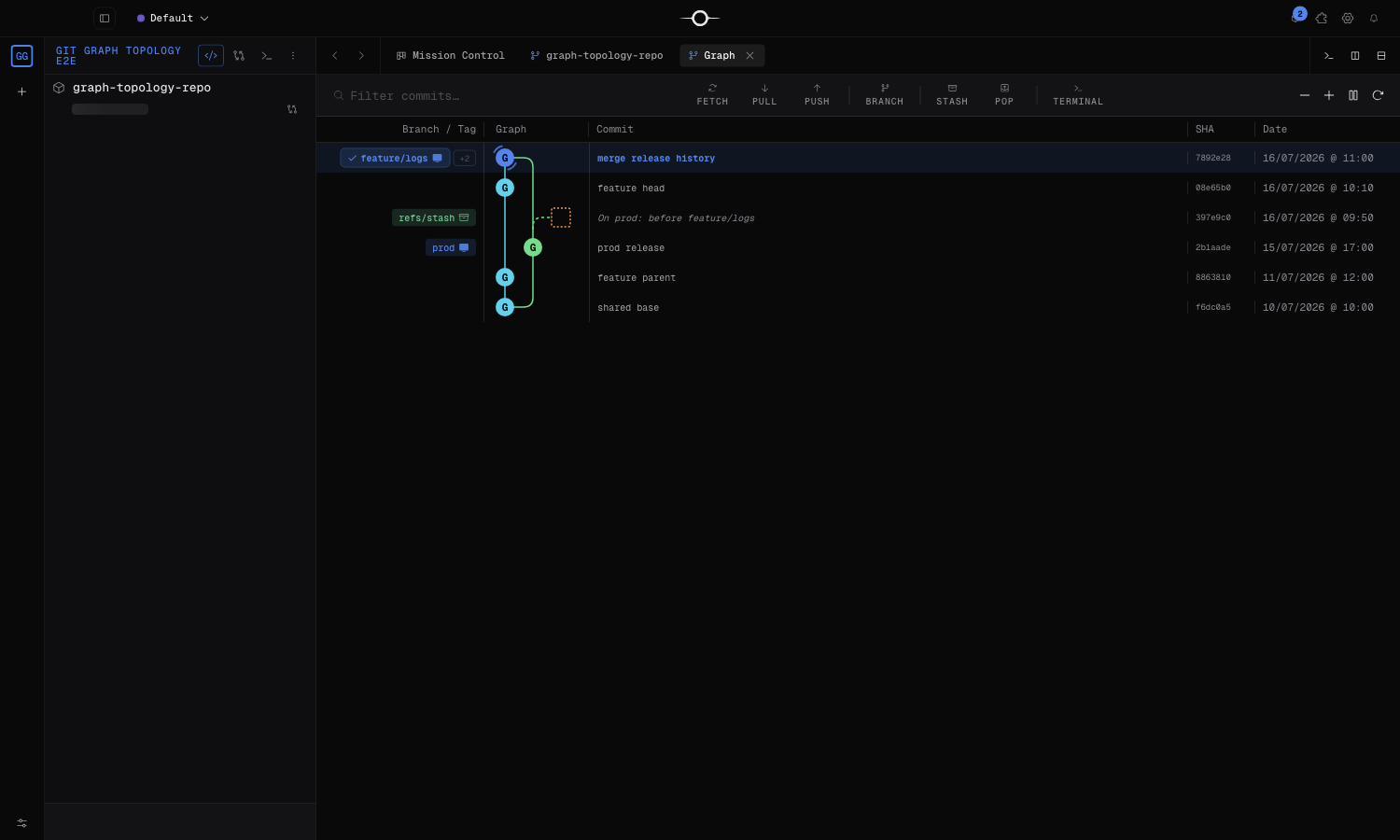
From a project’s Git cockpit, choose Graph to open its history in the Hangar. Each row represents a commit. The graph column connects its parents: a line splitting away marks a divergence; several lines joining one node mark a merge commit. The remaining columns show the message, author, and date.
Colors help your eye follow a lane; they do not assign priority or status to a branch. Chips name refs pointing at the commit: local branch, remote branch, worktree, tag, or stash. To read a merge, start at its node and follow each parent line back through the two histories it joined.
Search the history
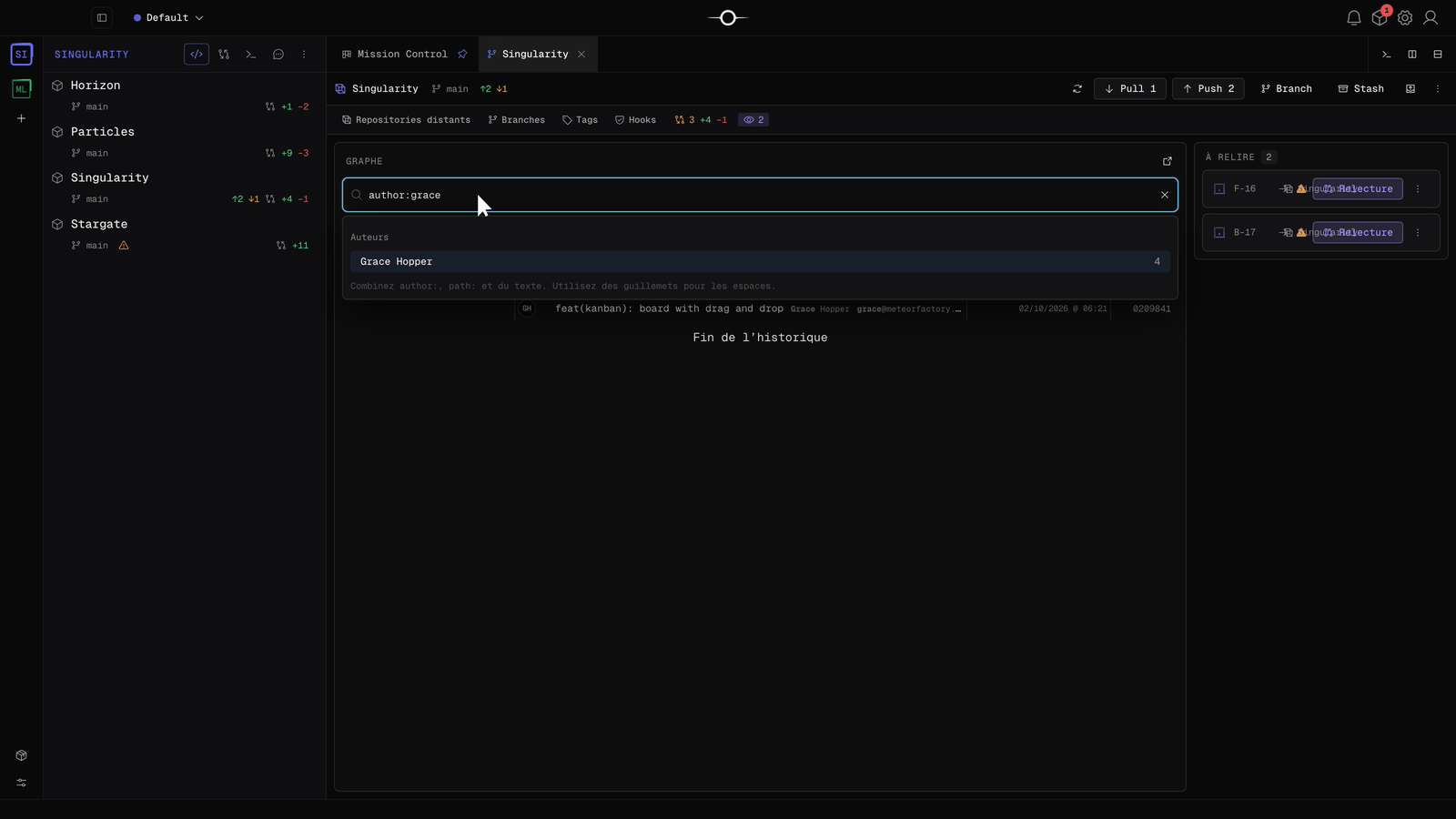
The field above the graph filters commits. Combine author:, path: and free text, with quotes for spaces: author:grace path:src/git "graph page". While you type, suggestions offer the authors and paths known to the repository. Clear the search to get the full history back.
Select a commit
Select a row to open the commit details. The panel shows its complete message, author, date, and list of affected files. Select a file to inspect its diff: additions, deletions, and context lines explain the exact change.
Inspection moves no branch and changes nothing in the working tree. The context menu’s Compare with working tree action selects the same commit as the comparison base.
A commit’s context menu
Right-clicking a commit always offers: check out commit, fetch, pull the current branch when one exists, compare with working tree, create a branch here, cherry-pick, reset the current branch in soft, mixed, or hard mode, revert, copy SHA, and create tag.
On a branch chip, the same menu conditionally adds: switch branch, pull, push, force push, merge the branch into the current branch or the reverse, reset the current branch to that ref, lock or unlock, delete the local branch, its remote branch, or both, remove a worktree, delete a remote branch, filter the graph by the branch, or clear that filter. On a tag, it can also delete the tag. On a stash, the dedicated menu offers apply, pop, delete, and copy stash ref.
History rewriting: soft, mixed, and hard resets move the current branch; hard reset also discards uncommitted changes. Force push replaces remote history. Use them only after checking the target ref and coordinate when the branch is shared. Cherry-pick and revert add new commits; merges normally add a merge commit or fast-forward the branch.
The Branches tab
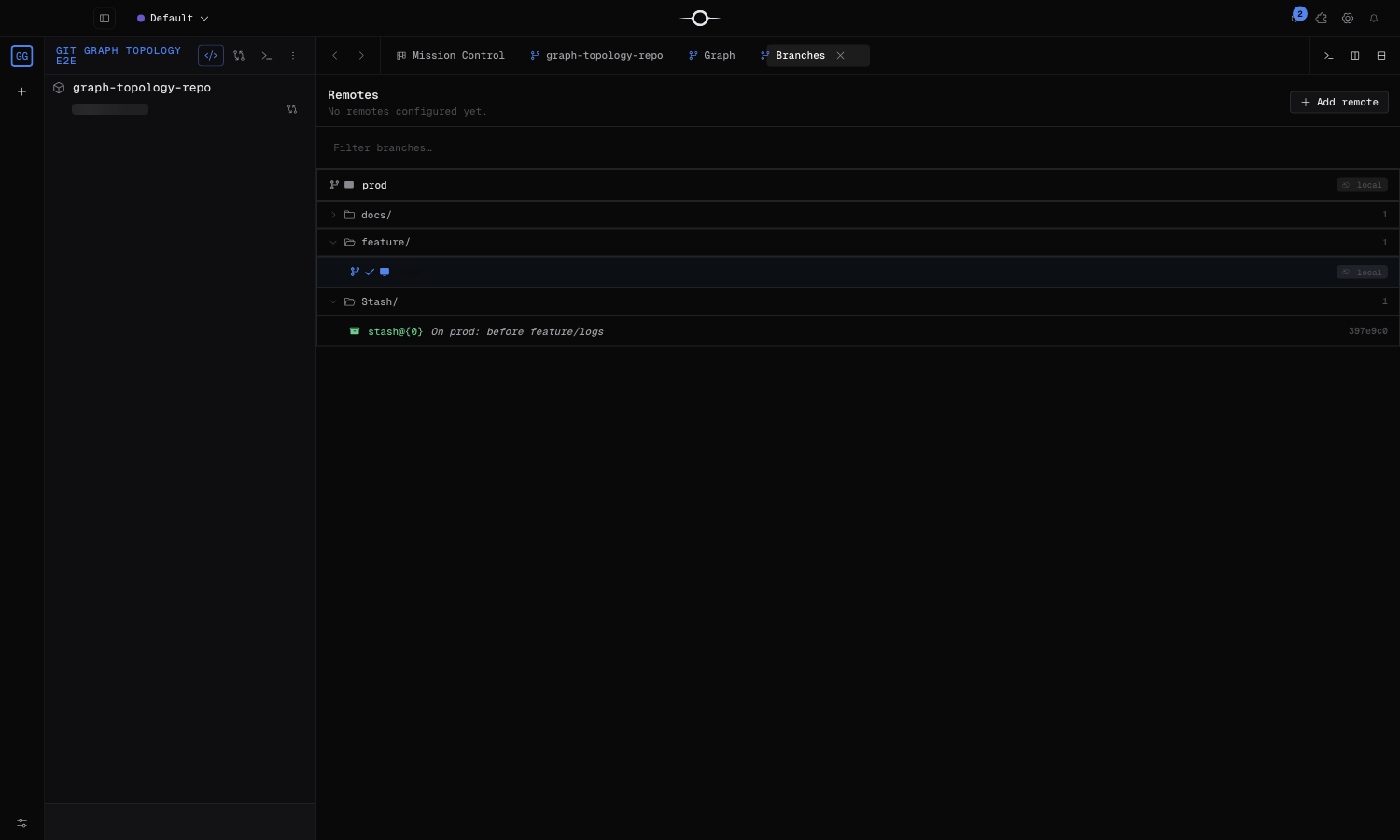
Open Branches from the Git cockpit to browse local, remote, and worktree branches. The filter quickly finds a name; the active branch and its upstream, when configured, are identified.
A branch menu lets you switch to it, create a new branch from it, rename or lock it, reveal it on the graph, merge it, or reset the current branch to it. You can push a branch, pull from its upstream, or delete its local copy, remote copy, or both. Checking out a remote-only branch automatically creates the local branch that tracks it. Singularity asks for confirmation before dangerous operations and protects locked branches.
Tags
Open Tags from the cockpit to browse every repository tag. The list shows its name, short SHA, date, message and author when available, plus whether it exists locally or on each remote. Filter by name, message, or author; double-click a tag, or choose Show on graph, to reveal its commit.
To create a tag, right-click the target commit in the graph and choose Create tag. A tag’s menu can also delete it locally. Creating or deleting a local tag does not automatically publish it to, or remove it from, any remote.
Best practices
In a linear-history repository, fetch remote refs first, then use Pull (rebase) or rebase your work branch onto the target branch before integration. This preserves a readable commit sequence without an unnecessary merge commit.
- Work on a short-lived branch and give each commit one clear purpose.
- Check the working tree and target ref before a reset, branch switch, or rebase.
- Never force-push a shared branch without coordination.
- Prefer revert to undo an already-published change: it preserves the record of the reversal.
- Place release tags on stable, identifiable commits.
Frequently asked questions
Which actions rewrite history?
Resets move the current branch and can make commits unreachable. A force push also replaces remote history. Cherry-pick and revert create new commits instead.
Why prefer rebase in a linear-history repository?
Rebase replays local commits on top of the target branch and avoids a merge commit. Do not rebase commits that are already shared without coordinating first.