User Actions is the Singularity plugin that lets an AI agent hand you what it cannot do alone. Creating a key vault, setting a production secret, approving billing with a vendor: the agent files a ticket with the steps to follow, and can wait for you to finish before resuming its work.
App screenshots using a demonstration profile. No agent actually runs in them.
What problem does User Actions solve?
An agent moves fast until the work is structurally out of its reach: an account to open, a key behind two-factor authentication, a decision reserved for a human. Without a framework, the request gets lost in a log or a ticket summary. User Actions turns it into a visible ticket with instructions and a state.
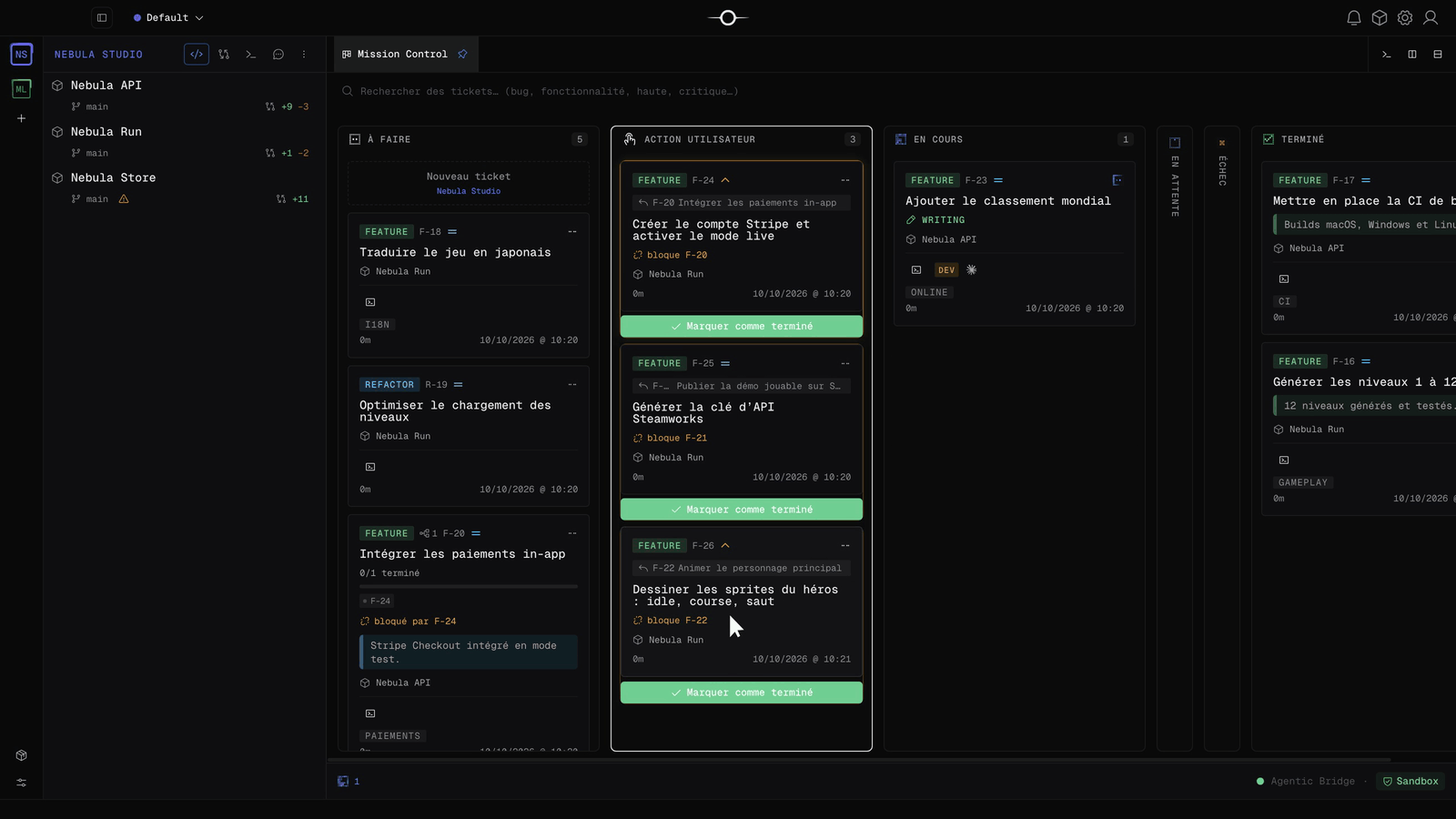
How does a user action work?
While active, the plugin exposes two MCP tools to every agent:
user_action_createfiles auser-actionticket with a title, instructions and a priority. It always starts out pending approval.user_action_listreturns the state of filed actions, so an agent can check whether you took the expected step before asking again.
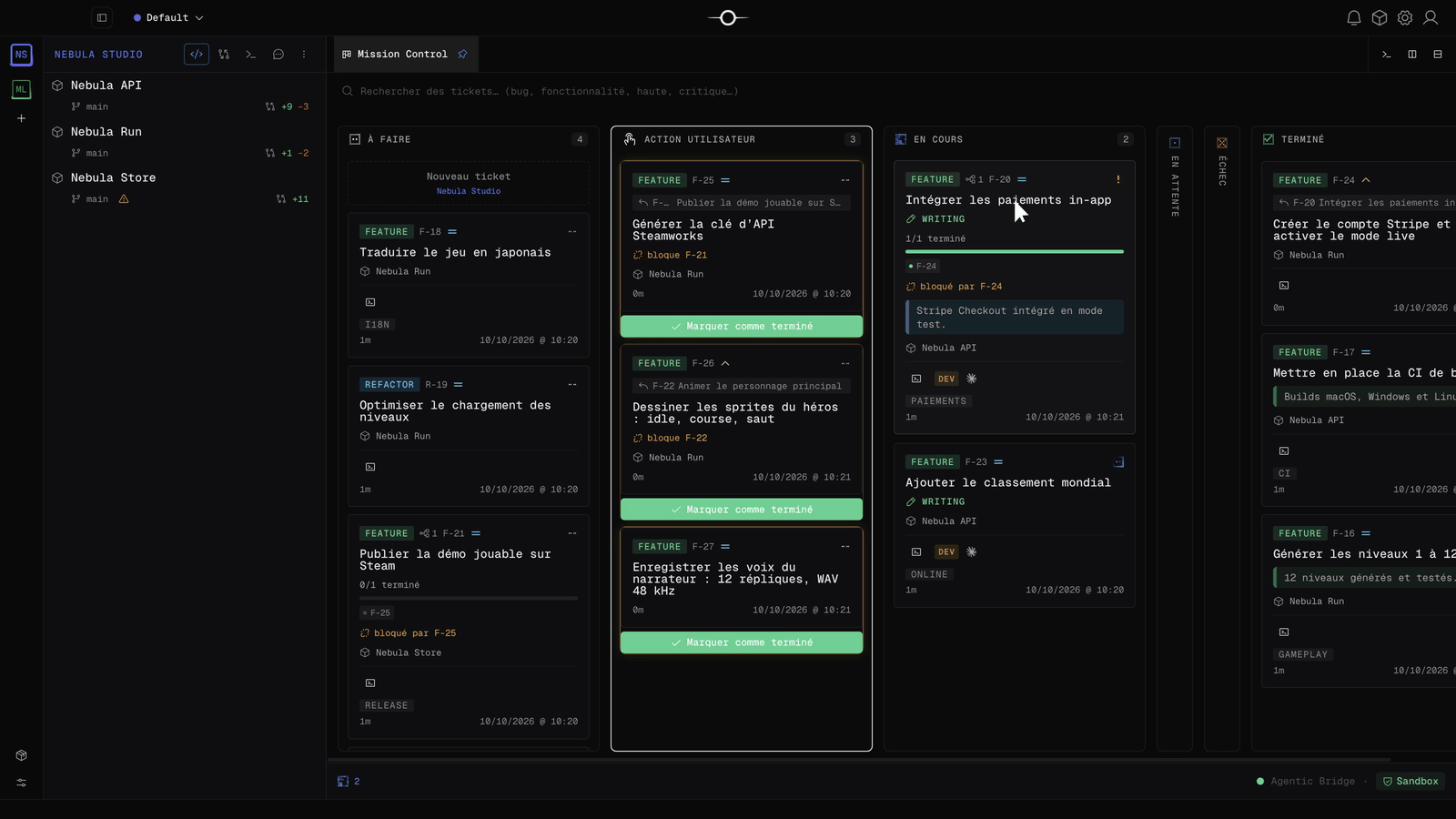
With blocking: true, the agent’s ticket adds the action to its dependencies. Without it, the request is created and the agent continues. Completing the action clears that dependency; other dependencies and the scheduler then determine when work resumes.
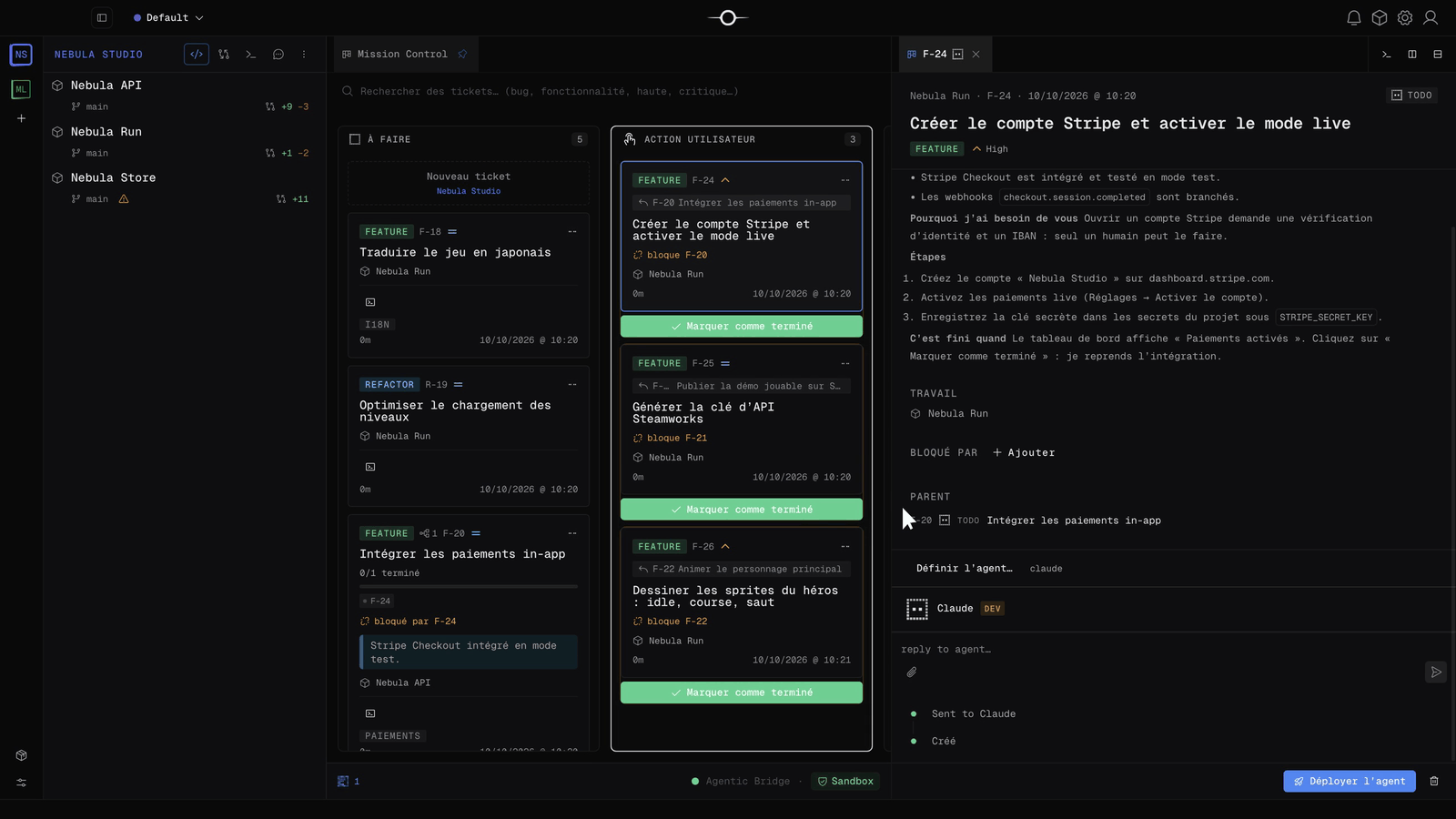
How do you use it day to day?
- Install User Actions from the Marketplace, enable it and grant its permissions.
- Let your agents work. The User Action column only appears once the first action exists.
- Open the ticket and read what was done, why you are needed and which steps to follow.
- Carry out the steps, then click Mark as done.
You can also create your own action by choosing the Human agent in the new ticket dialog, and filter the column with search.
What are the limits?
The plugin does not do the work for you: it organizes it. It owns no table: actions are ordinary Singularity tickets. Disabling it removes the tools from agents but does not resolve existing actions. If the tools are missing, check activation and permissions, then start a new agent run. If blocking comes back false, no calling ticket was found: inspect the created ticket before retrying.
Frequently asked questions
Is User Actions paid?
No. The plugin is free and needs no external account or secret. It is disabled by default: install and enable it from the Marketplace.
Can an agent complete a user action by itself?
An action waits for a person, never for an automatic agent run: no scheduler launches this type of ticket.
What happens if I uninstall the plugin?
Actions remain ordinary tickets, so uninstalling loses nothing you still had to do. Agents only lose access to the tools.