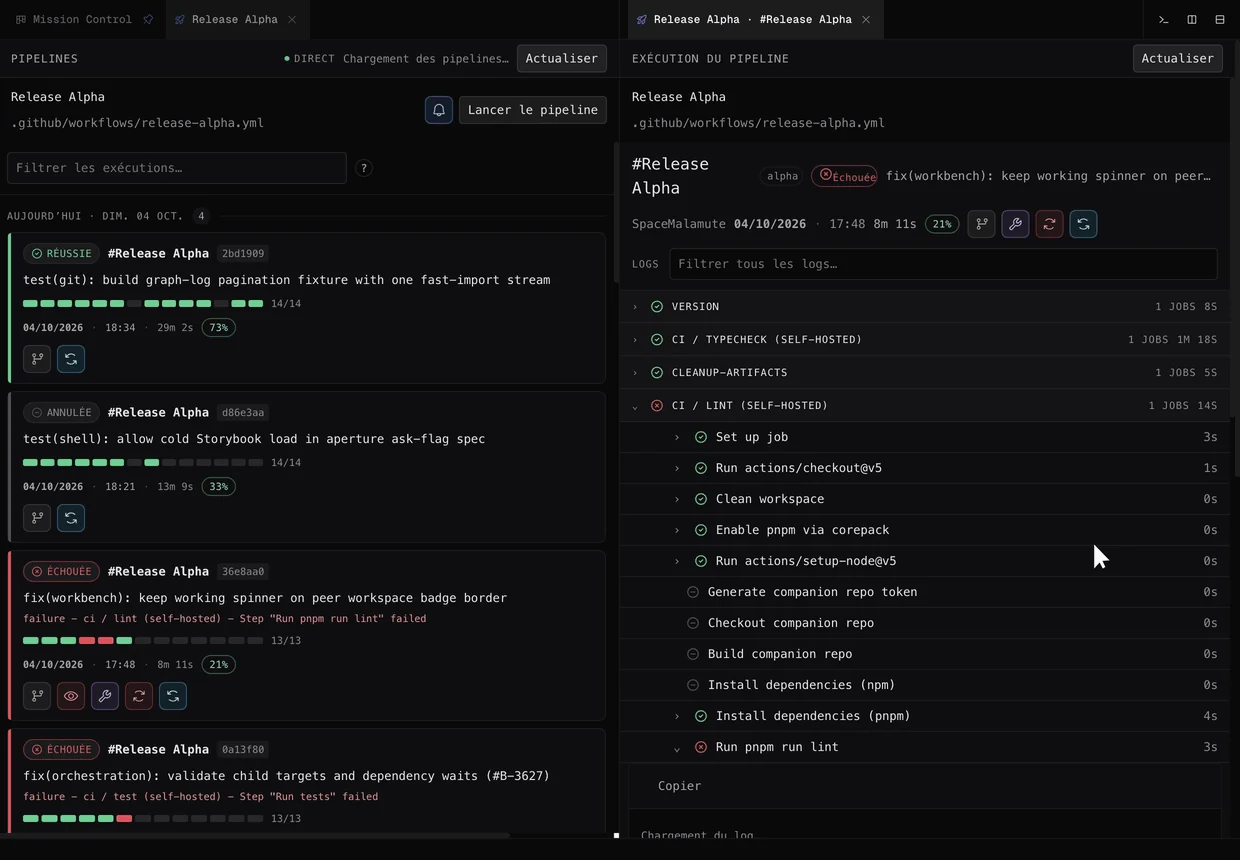
CI/CD pipelines
Follow every GitHub Actions run, job by job, without leaving the app.
Meteor Factory presents
Your Agentic Development Environment (ADE). Build features, fix bugs, and evolve your code with AI agents working in parallel.
cross the horizon01 · The status quo
Comparing Cursor, Devin, Orca or Superset to build software with AI? Everywhere, agents write code, yet you still steer them by reading scrolling text. Singularity, your next development environment, replaces that stream with tickets, a Git graph and review before integration.
Schematic illustrations of common approaches, not screenshots of third-party products.
In Singularity
Mission Control puts every request in a column: to do, user action, in progress, done. Each card is a ticket, with its project, its dependencies and the agent working on it.
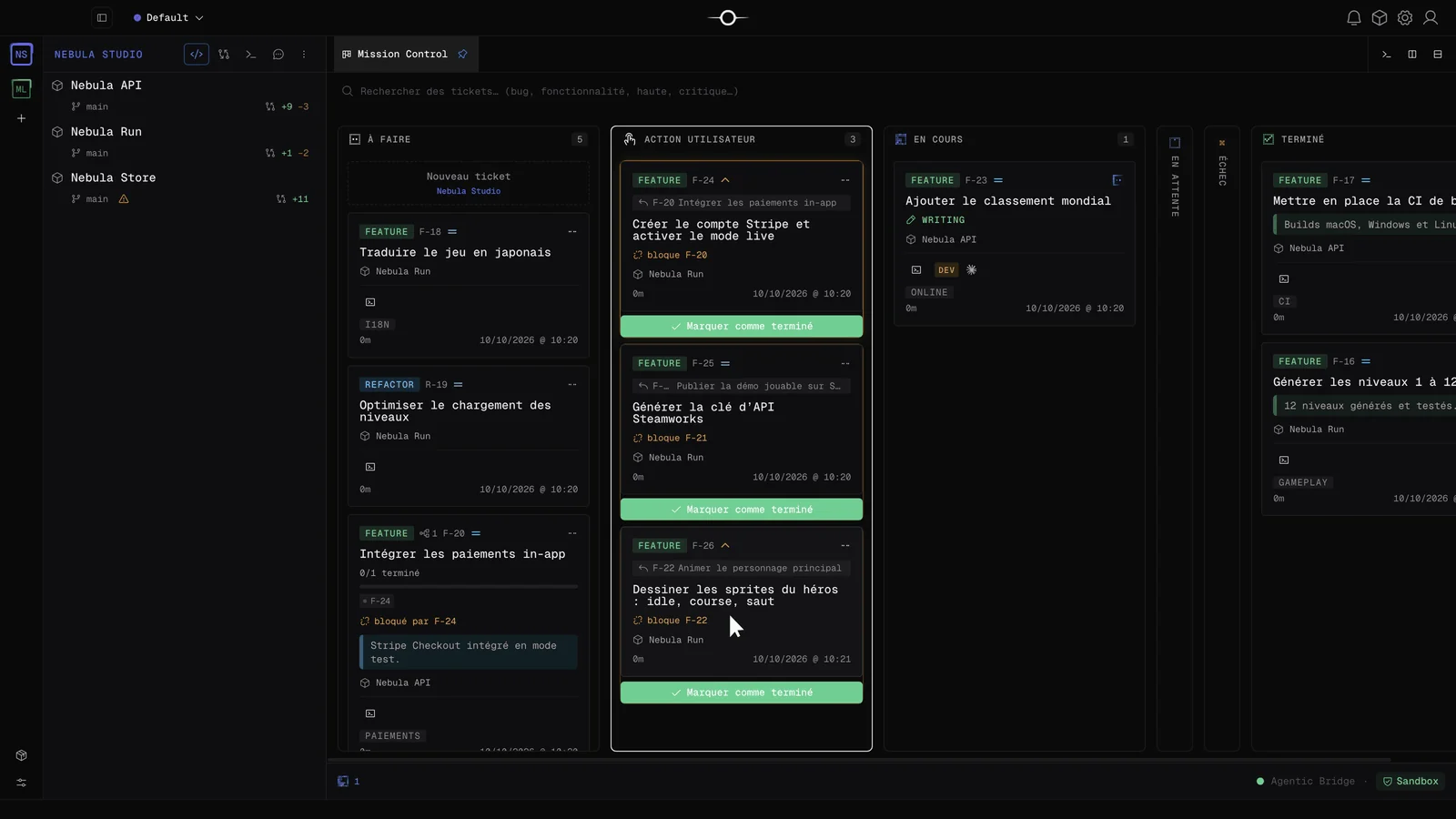
02 · The ticket
A ticket brings together a goal, a project, a branch and an agent. The board shows where each ticket stands; its detail keeps the brief, the worktree and the agent timeline.
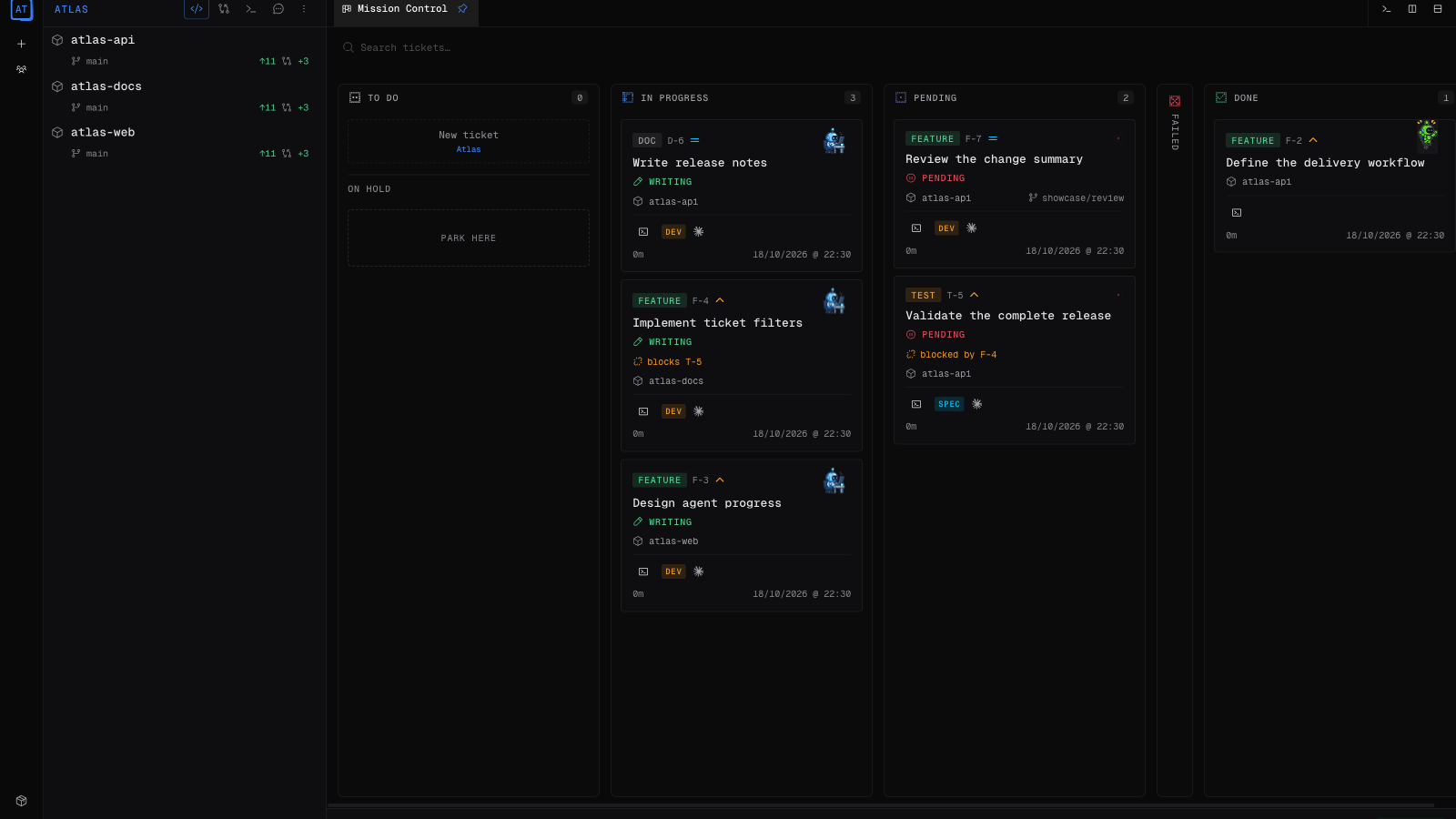
Application captures, demonstration data.
03 · Git
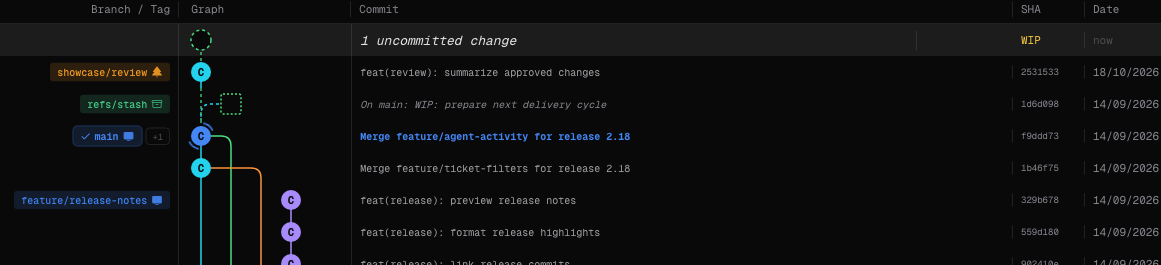
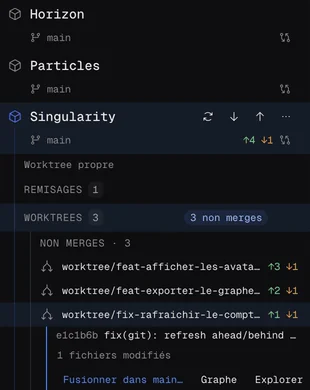
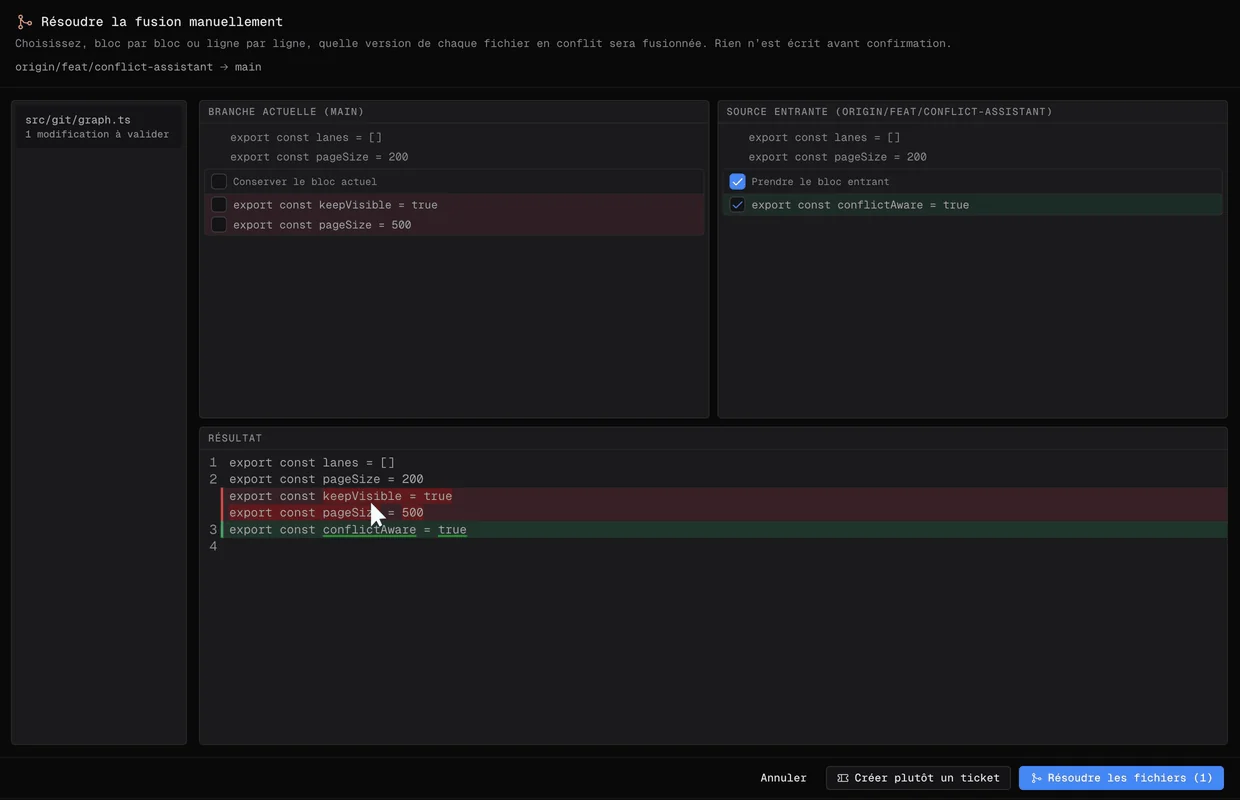
Agents commit in their worktrees. You follow everything in the built-in Git client: graph, branches, stashes, hooks and conflict resolution.
04 · The cockpit
Follow every GitHub Actions run, job by job, without leaving the app.
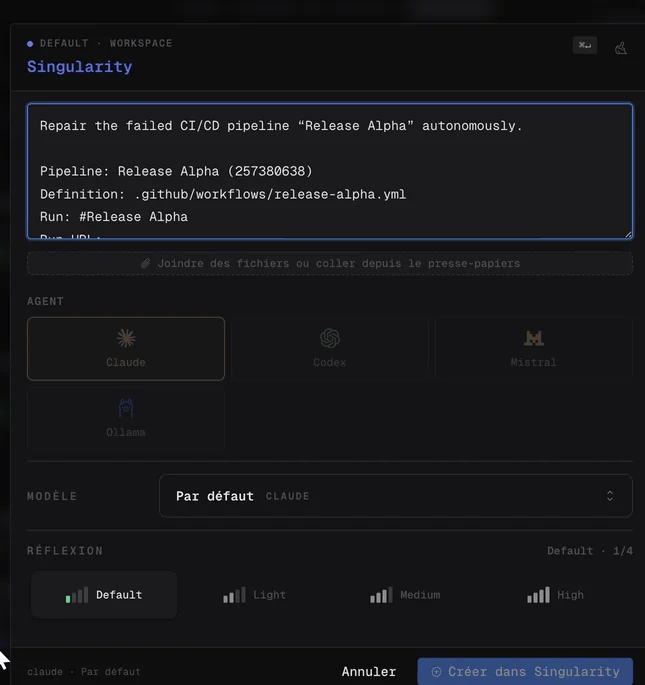
A pipeline fails? Create a prefilled repair ticket and choose the agent that handles it.
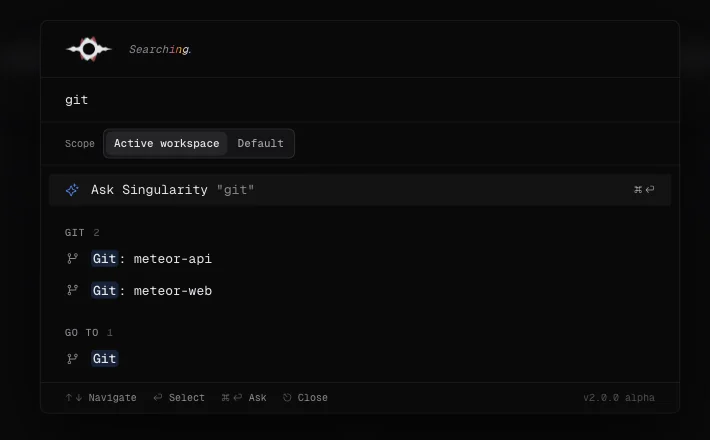
The palette that finds projects, Git commands and views, or asks Singularity.
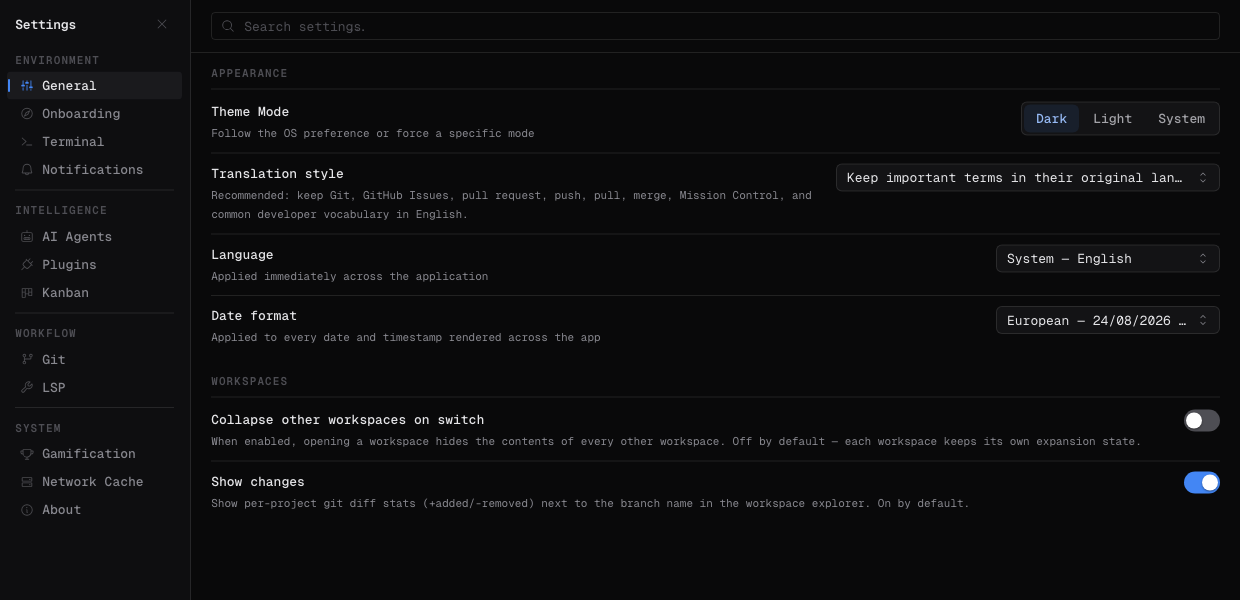
Default provider, commit queue, interactive mode: you set the level of autonomy.
05 · In short
Singularity is an Agentic Development Environment (ADE): a desktop application combining an editor, a terminal, Git and a ticket board to manage AI agents. Describe a feature, bug or refactor in a ticket, then select the provider and model that will carry out the task. The board keeps the conversation, the projects touched and the outcome of each run together.
Orchestration coordinates the work: the scheduler considers dependencies, priorities and the concurrent-agent limit when starting ready tickets. You can follow commands, clarify an instruction or stop a run from its detail view. Singularity does not guarantee correct code or delivery without intervention: project checks and review remain necessary. The chosen provider also determines the capabilities and cost of the session. The guide documents these steps, explains how to follow a running agent and distinguishes the possible completion states.
Read the documented orchestration workflowA Singularity ticket is a unit of work that brings together a request, its context, conversation and result. To fix a login bug, describe the observed behavior, the expected outcome, the relevant files if known and the test that will validate the fix. This gives the agent an explicit scope instead of an endless conversation.
A dependency makes a ticket wait when another change must be integrated first. The ticket preserves its history and can be resumed with an additional instruction. Splitting work this way makes progress easier to track, but does not eliminate reasoning errors or ambiguity: an unclear request still needs clarification or a decision. The guide explains what information the agent receives and how to resume a ticket.
Read about the ticket lifecycleA Git worktree is a working directory associated with a branch of the same repository. In Singularity, when “Use git worktrees” is enabled, each agent run receives its own directory and branch. The agent changes files, runs project checks and creates commits there without touching uncommitted changes in your main working directory.
At completion, commits are replayed onto the base branch through a rebase. Depending on board settings, the result is integrated automatically or presented in the Review tab; disable auto-merge to retain human approval. File isolation does not guarantee compatible changes: two tickets can introduce contradictory business rules without a Git conflict. When the base advances, the affected interactions need to be checked again before integration. If worktrees are disabled, the agent writes directly into your working tree instead. The guide documents these settings, the integration lifecycle and the limits of parallel work.
Check worktree settings and limitationsInternal experience report — June 8–14, 2026
Historical figures reported by Meteor Factory, not independently audited. Read the definitions, exclusions and recalculation limitations. Case study and calculation method (October 10, 2026)
06 · Questions
Install the selected CLI, run claude or codex in a terminal and complete authentication. Check that it responds from your project directory. In Singularity, select the provider and an available catalogue model, or Auto. Then create a small ticket, such as fixing a bug with a test, and review the tests and Git diff before integration. Set up Claude Code: sign-in and models Set up Codex: sign-in and models
Singularity is an Agentic Development Environment (ADE) for building software with AI agents. It combines a code editor, terminal, Git and ticket-based orchestration to build features, fix bugs and refactor multiple projects in parallel.
No. Singularity is for developers and teams building and maintaining software: web and desktop apps, APIs, tests and refactoring. Pipeline monitoring and DevOps tools complement this general-purpose development environment.
No. Focused context can help limit drift, but guarantees neither the absence of hallucinations nor correct code. Agents can produce false answers, invent information or introduce bugs. Check sources, review changes and run tests before integration.
Yes. Singularity is an alternative to evaluate for AI software development alongside Cursor, Devin, Orca and Superset. Its workflow centers on atomic tickets, parallel agents and isolated Git worktrees, with change review before integration. Compare the tools on your projects and preferred way of working.
Singularity orchestrates seven AI providers: Claude Code (Anthropic), Codex (OpenAI), GitHub Copilot, Cursor, Gemini (Google), Mistral and Ollama. Available models depend on the catalogue and your configuration. Sign-in uses the account authenticated in the provider CLI or a key depending on its configuration; Cursor and Mistral also offer a key field. Ollama uses a local or remote endpoint, with a token if required. Provider and data transmission guide
Singularity is a free application for orchestrating development agents. The free plan includes unlimited agents, projects and worktrees, language servers and the Notes plugin. No subscription or credit card is required to use these features. Singularity Licence is the subscription that unlocks paid Marketplace plugins, with a 14-day free trial followed by €24 per month per workstation. The first payment is charged after the trial. It provides access to the Pipelines plugin for CI/CD in the app. Future paid plugins are included at no extra charge. Cancel at any time. The Notes plugin remains included in the free plan; the subscription does not change Singularity’s core features. AI provider costs are separate from Singularity Licence. Singularity does not resell models: neither the free application nor the plugin licence includes paid subscriptions or external model usage. Depending on the provider and model, you use your account or API key and pay the provider directly for any applicable subscription or usage. Your total cost is the optional plugin licence plus any AI provider costs.
Local storage does not mean all data stays on your computer. Configured CLIs may send prompts, file excerpts and tool results needed by the agent to the selected provider, under its terms and retention policies. With a local model served by Ollama on your computer, inference stays local; downloading the model contacts the registry. A remote Ollama endpoint sends requests to the configured server. Check the endpoint and tool permissions: local inference does not guarantee that agent tools work offline. Provider and data transmission guide
Singularity is available on macOS and Windows. Linux packages are also published.
07 · The humans


08 · The horizon
macOS · 2.18.125
Also on Windows — Windows x64 · Windows ARM64
Also on Linux — AppImage · x64 · deb · x64 · rpm · x64 · pacman · x64 · tar.gz · x64
Local Ollama: inference on your computer.
Cloud providers receive your prompts and code excerpts. A remote Ollama endpoint also receives your requests.