Data Tools is the Singularity plugin that lets an agent convert JSON, CSV and YAML files without leaving its run. The agent calls the data_convert MCP tool with a source file and a target format, then receives the written file’s path and metrics.
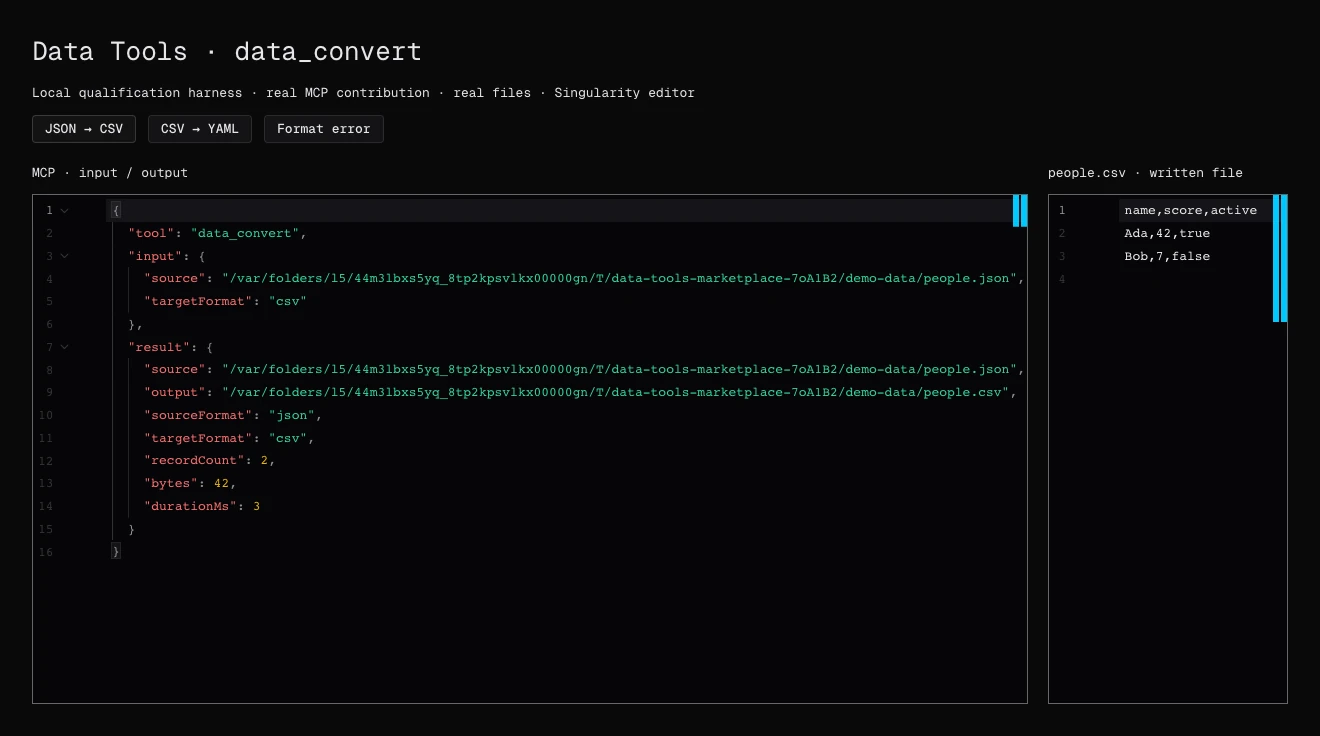
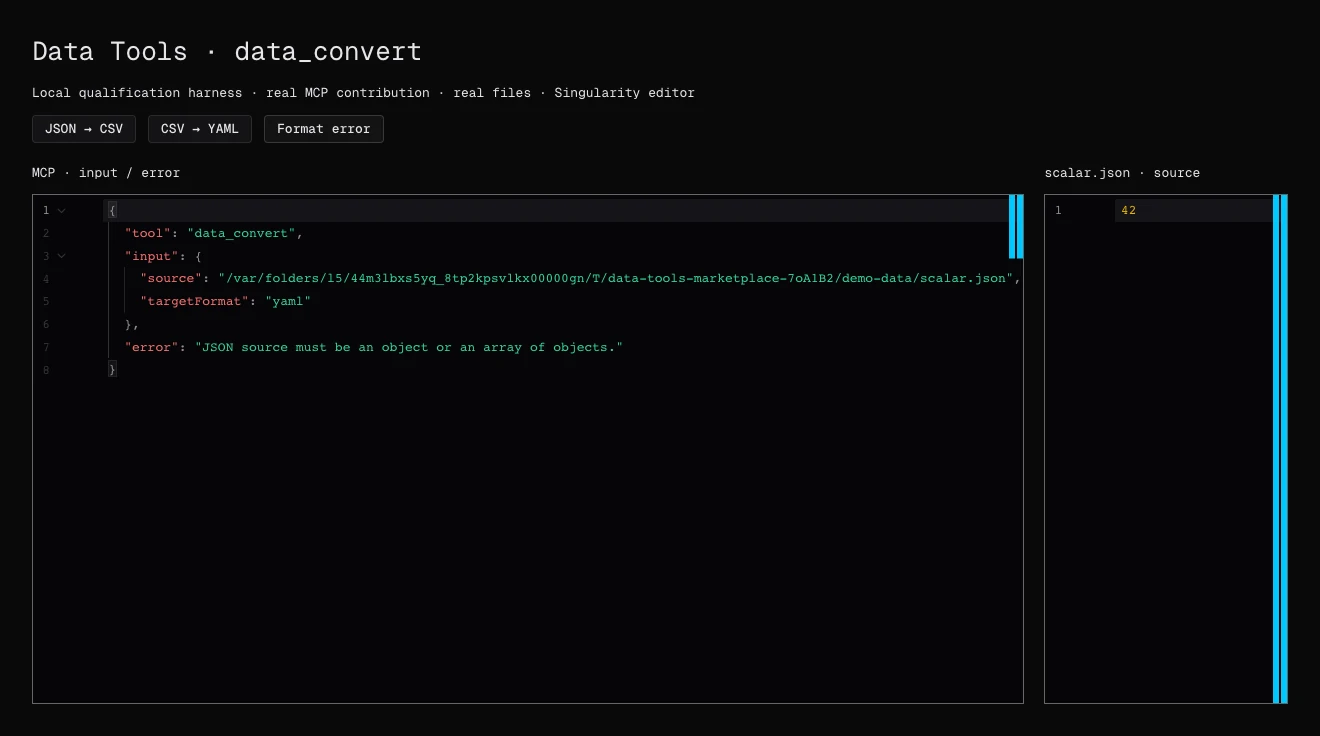
Screenshots of the local qualification bench: real MCP contribution and files, with demonstration data.
What exactly does data_convert do?
The tool reads a structured file and writes its conversion. The response gives the formats, record count, size and duration.
{
  "source": "data/input.json",
  "targetFormat": "csv",
  "output": "data/output.csv"
}
Which options are available?
sourceFormatdefaults toautoand relies on.json,.csv,.yamlor.yml.overwritemust betrueto replace an existing output.- For CSV:
delimiterandheader. - For JSON:
indent, from 0 to 8.
How do you use it day to day?
Install and enable Data Tools from the Marketplace, then simply ask for the conversion in your ticket: “export people.json to CSV”, “turn this CSV configuration into YAML”. The agent avoids writing a temporary script, and the result stays a workspace file you can review and version.
What are the limits?
Reads and writes are limited to the workspace: out-of-scope outputs and symbolic links are refused. The plugin keeps permissive inherited rules: CSV columns come from the first record, and uneven rows are tolerated. Review the result when your data is heterogeneous. The plugin offers no interface or settings.
Frequently asked questions
Is Data Tools free?
Yes. The plugin is free and needs no external account or secret.
Can an existing file be overwritten?
Only if the call sets overwrite to true. Otherwise, the existing output is protected.
Which agents can use it?
The tool is exposed over MCP to Singularity agents, whatever the provider, while the plugin is active.