Singularity’s language servers add completion, diagnostics and code navigation to its editor, with 31 servers covering the main languages. The LSP protocol separates the editor from the tool that understands a language: you enable the server you need without configuring the protocol.
Which languages are supported?
| Area | Servers |
|---|---|
| Web | TypeScript/JavaScript, JSON, HTML, CSS/SCSS/Less, Vue, Svelte, GraphQL |
| Systems | Rust, Go, C/C++, Zig, Swift |
| Application | Python (Pyright and Ruff), Java, Kotlin, C#, PHP, Ruby, Dart, Elixir, Haskell, Lua |
| Infra and formats | Bash, PowerShell, Dockerfile, Terraform, Ansible, YAML, TOML, Markdown |
Python and YAML each have two possible servers: registration order determines which one handles a file when extensions overlap.
What does it add to the editor?
Completion as you type or with Ctrl + Space, hover information, signature help, diagnostics, quick actions, inlay hints and the symbol outline. The context menu goes to the definition, type or implementation, finds references, renames and formats. Cmd + T or Ctrl + T searches project symbols.
How do you enable a server day to day?
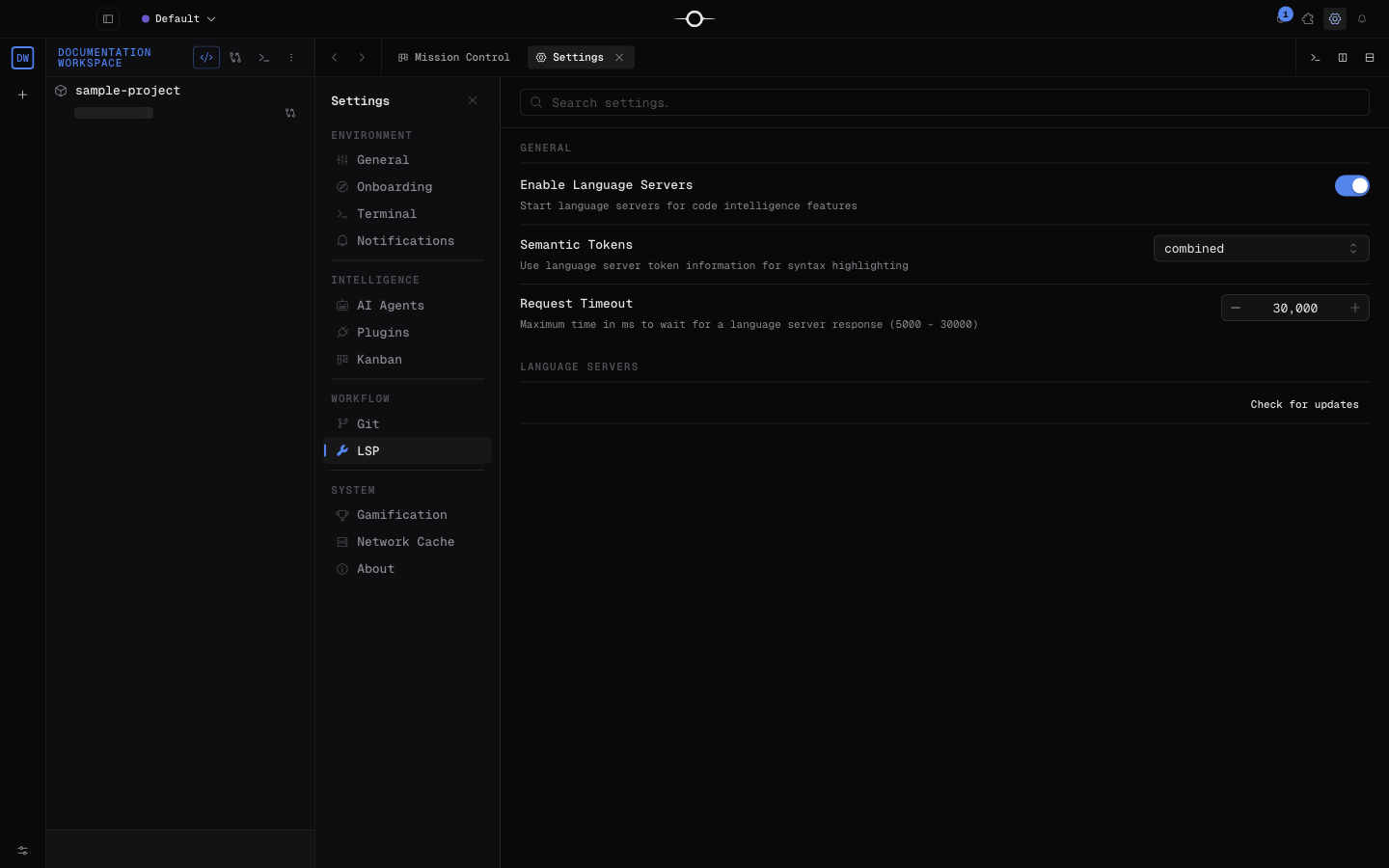
- Open Settings, then LSP, and check that the general integration is active.
- Enable the language you want, then open a matching file.
- Check the launch mode. An
npxentry downloads the pinned version if needed; anon PATHentry requires you to install the server yourself. - Use Update all when the panel reports new versions.
What are the limits?
A server does not run your program: always validate with the project’s tools. Auto-imports, range formatting, semantic tokens and inline definition preview are not currently available. Servers provided by the PATH update through their usual manager.
Frequently asked questions
Are language servers paid?
No. All 31 language server plugins are free.
Why won’t a server start?
Check the command on the PATH for an on PATH entry, or Node.js, npm and registry access for an npx entry. Logs with the lsp scope show the error.
Can I use Pyright and Ruff together?
Python has both servers, but registration order determines which one handles a file when extensions overlap.