A bug report arrives on GitHub with a description and a screenshot. Fixing it means finding the project, sharing context, tracking work and answering the reporter. The GitHub Issues plugin connects that conversation to the Singularity kanban: the issue connects you with your community, while the ticket organizes the agent’s work.
App-only screenshots extracted from raw recordings of the dedicated video. The scenario replays gba_translator conversations using a demonstration profile; these images do not establish a new agent run.
Read issues in your workspace
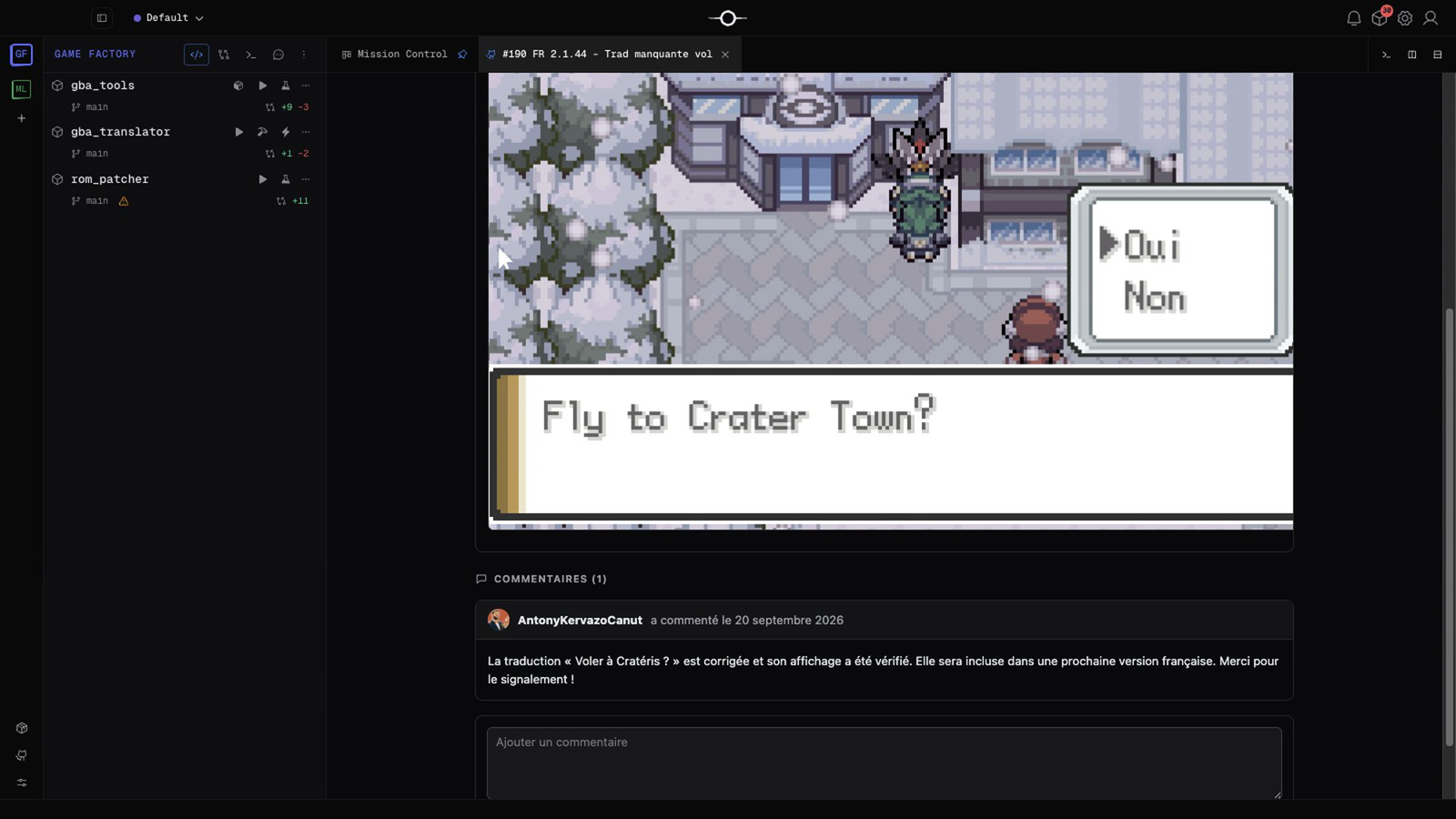
The GitHub Issues tree separates open and closed issues with counters. Open an issue to read its title, state, labels, Markdown description, images and comments. Its linked-ticket badge opens the associated work. You can connect several repositories to one workspace.
Turn a report into a task
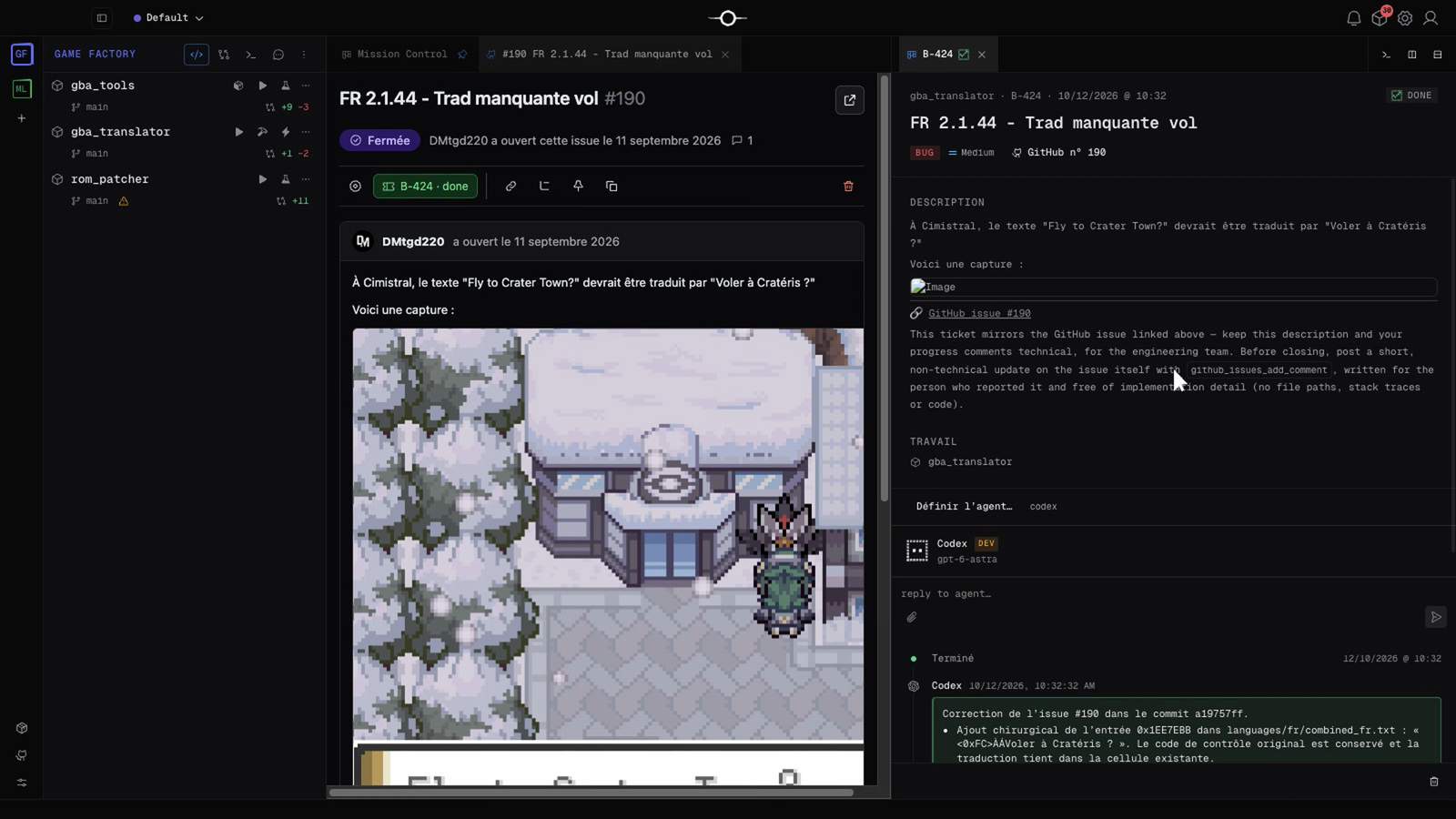
Create a ticket prepares an editable draft with the issue context and images. Review the description, choose the project and agent, and specify the expected result and useful checks. An already linked issue reuses its ticket, keeping the request connected to its resolution.
One issue, two answers
The ticket keeps technical details for the team: diagnosis, changes and verification. On GitHub, the agent is instructed to publish a user-friendly reply with screenshots when helpful. The resolution lifecycle connects ticket completion to issue closure. Review the evidence and proposed result as with any agent task.
The conversation continues after closure
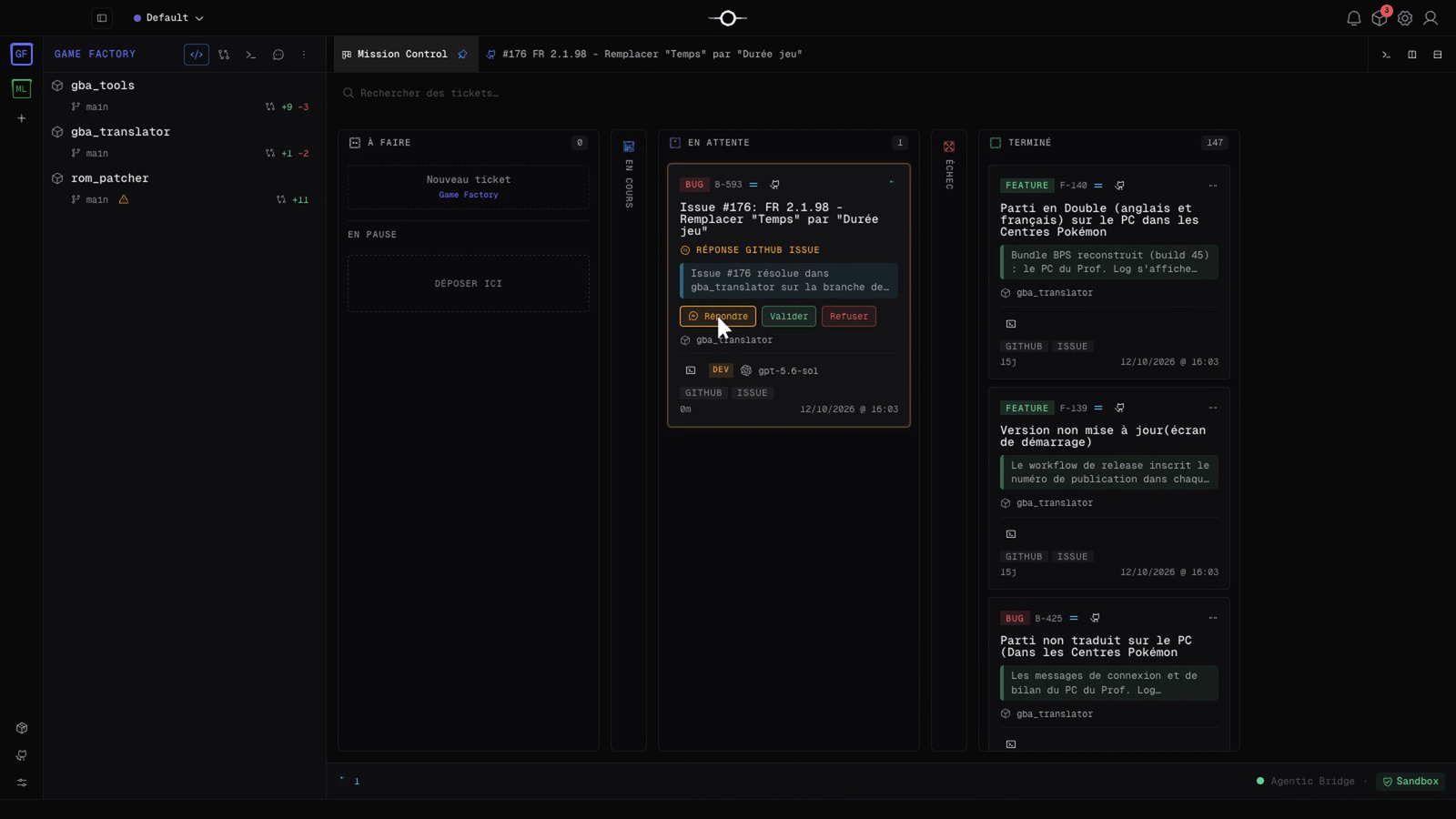
A new external comment on a completed linked issue can reopen it and put the ticket into a waiting state with the reply. On the card, Reply lets you read feedback and add instructions; Validate restarts the agent with the discussion; Reject completes the ticket and closes the issue again. Automatic validation can resume work directly, so fixes can follow community feedback.
Manage everyday discussions too
Create Markdown issues, attach files, comment, close or reopen, pin, clone, link issues and organize sub-issues. Notifications flag new issues, comments and reopenings. Periodic synchronization depends on GitHub access: a cached offline list does not guarantee a current state.
Start with one repository
Install and enable the paid GitHub Issues plugin from the Marketplace. Add a workspace connection with owner/repository and authorized access. Then open an issue and prepare its ticket. Available operations depend on account and repository permissions.